
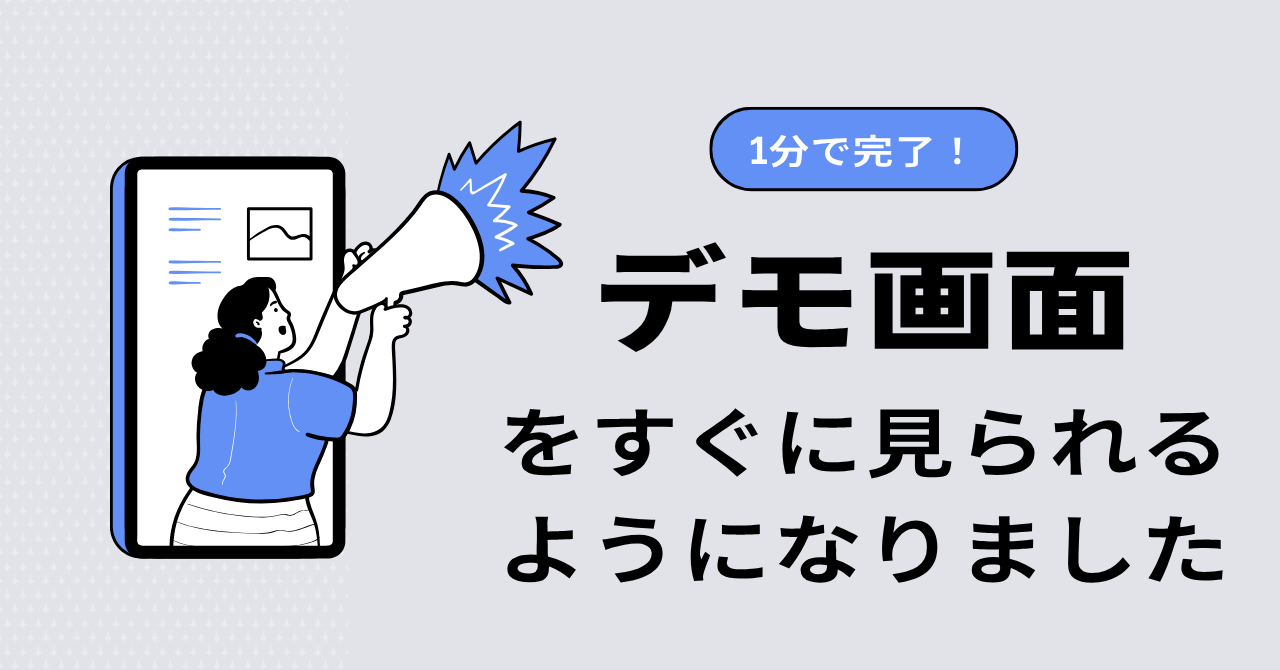
How to start — see the screen in 1 minute
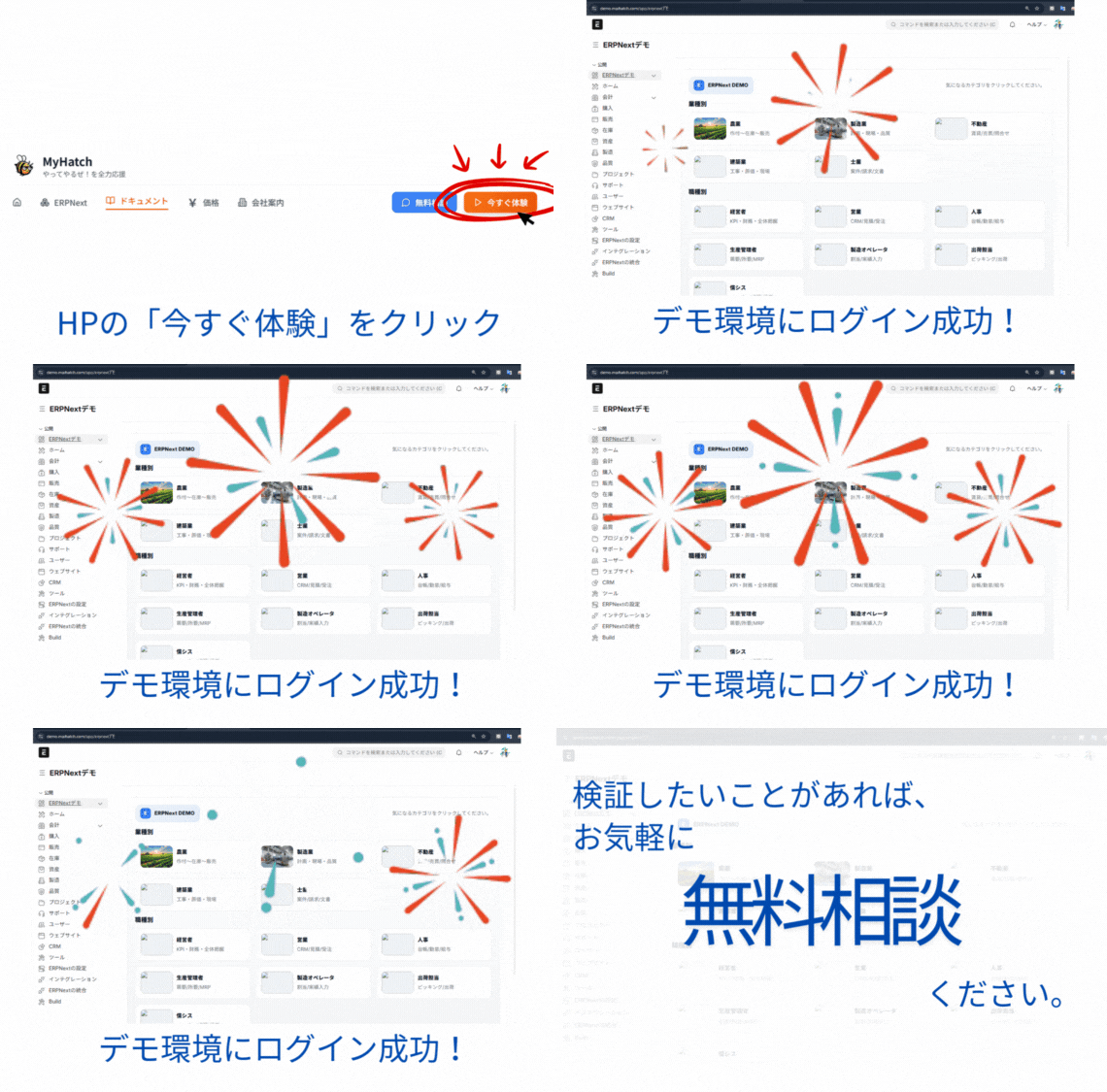
Press the "Try now" button on this site and within 1 minute you'll get a login link to the demo. Three progressive stages — look only, evaluate after a meeting, and your own dedicated environment — let you try ERPNext as deeply as you want.
When you are deciding whether to adopt a system, the fastest way to make a judgment is to see it actually running.
That is why we built a stepwise path that lets you try the system in increasing depth. Begin by simply looking at the screens, then touch them if you like what you see, and run a real evaluation in your own environment if you decide to go further.
Three stages, no pressure
| Stage | What you experience | What you need | Duration | Cost |
|---|---|---|---|---|
| ① Take a look | Just view screens and sample business data | Company / organization, name, business email | 14 days | Free |
| ② Try it out | An evaluation account that lets you create and update | A 30-minute meeting | 2 weeks | Free |
| ③ Real evaluation | A dedicated environment running test operations with real data | A detailed scoping discussion | 1–3 months | Quoted separately |
You move from left to right at your own pace, and stop any time it doesn't feel right. We will not push hard or pressure you.
① Take a look (1-minute issue)
This step is for getting a feel of the running system. You'll see the look-and-feel, how natural the Japanese is, and how rich the sample data is.
Steps
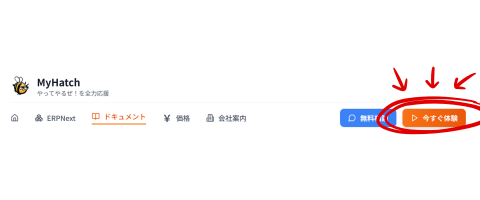
- Click the "Try now" button at the top right or center of the site.
- An input dialog opens — enter your company / organization, your name and your business or organizational email address and submit.
- A few seconds later, the login link appears on the screen directly. (The same link is also sent to the email you provided.)
- Click the link and the sample-company "Mirai Resin Industries" workspace opens.
What you can see
After login, the workspace opens ready to use.
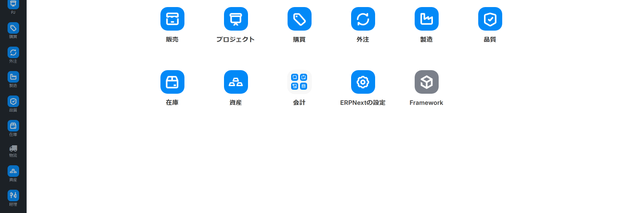
- Japanese menus and screens — fully translated
- Aligned with Japanese business practice — consumption tax, e-invoice and month-end closing all out of the box
- Production-grade sample data — about 170 customers, 600+ items, and 200+ work orders pre-loaded
- Per-business dashboards — sales trend, inventory status, manufacturing progress visible at a glance
What you can and can't do
Step 1 is 'view only'
Multiple people share the same sample environment, so writes and updates are not possible. It is intentionally designed to focus on "seeing it run". If you want to actually try it hands-on, please move to Step 2 (we will issue a 2-week account after a quick discussion).
- Account validity: 14 days (auto-expires)
- Eligibility: we issue demo accounts only to a business or organizational email address (free webmail and disposable addresses are not eligible). If you only have free webmail, please reach us via the contact form and we will issue one individually.
- Re-issuing for the same email is not automated (please contact us if needed)
- We have a daily limit on issuance
② Try it out (after a meeting, 2 weeks)
If Step 1 felt promising, please request a 30-minute online meeting. Use the contact form at the bottom of the page, choose "Inquiry" and add a note saying "Step 2 please".
What we'll talk about
- Your business flow (from order to delivery, production setup, month-end closing, etc.)
- What's painful today and what you'd like to improve
- Which features are likely to help (we'll suggest)
- Whether you should move to Step 3
What you'll receive after the meeting
- An evaluation account that allows create/update operations (valid for 2 weeks, free)
- Try things hands-on — create quotations, register orders, do stock movements
- A draft adoption plan mapped to your operations
If it doesn't fit, you can stop here
From our side too, pushing forward with a poor fit causes trouble later. If we judge "another product fits better", we'll say so honestly.
③ Real evaluation (PoC = Proof of Concept)
If after Step 2 you feel "this really could work", the next stage is a PoC (Proof of Concept). We set up a dedicated environment for your company and run a trial period before full production.
What's prepared in a PoC
- A dedicated system environment for your company (not shared)
- A small import of your master data (customers, items, prices)
- 1–2 essential adjustments (Japanese-specific print formats, your business rules)
- 1–3 months of trial operation support
Costs
- Costs are quoted separately
- They depend on setup effort, data volume and the scope of adjustments
- If you proceed to a full contract, a portion of the PoC fee can be applied to the build cost
How to apply
Use the contact form at the bottom of the page and tick "PoC / extended trial inquiry". We'll review and a member of our team will get back to you.
FAQ
Q. Do I need to be technical?
No. The intended users are accounting staff, sales reps, factory floor leads — regular operational staff. Menus are in Japanese and the feel is close to Excel.
Q. Won't the screen be in English?
No. The official demo is in English, but our demo environment is translated to Japanese and pre-configured for Japanese accounting rules.
Q. What happens when the account expires?
You can no longer log in. Step 1 is read-only, so there is no risk of data loss. If you'd like to extend, please proceed to a Step 2 meeting.
Q. Can multiple people try it together?
Step 1 is issued per individual, but you can share the link inside the team. If you need multiple accounts, raise it during the Step 2 meeting.
Q. I want exact pricing.
Steps 1 and 2 are free. For Step 3 onward, see Implementation flow for a rough estimate.
Start with Step 1
If you're unsure, just start at Step 1. With your company / organization, name and business email you can be looking at the screen in a minute.
Related articles
Related articles
 8 min
8 minUnderstand ERPNext in 3 minutes — the big picture of an open-source ERP
What ERPNext is and what business areas it covers, in three minutes. We cover module structure, how to read the official docs, and how to get started — pitched at first-time visitors.
 7 min
7 minERPNext.JP Implementation Cost Guide | Own the Source as Your Asset
We reveal ERPNext.JP's cost structure: the full source code is handed over so you own the system as your asset. Includes a comparison of four major ERP systems. Contact us for pricing.
![What is Open Source ERP? A Thorough Comparison of its Mechanism, Benefits, and Top 5 Products [2026 Edition]](/images/documents/erp_eyecatch_google_d_1774357580557.png) 15 min
15 minWhat is Open Source ERP? A Thorough Comparison of its Mechanism, Benefits, and Top 5 Products [2026 Edition]
This guide provides a thorough explanation of how to choose the right open-source ERP system, from the fundamentals of open-source ERP to a comparison of the features and architectures of five major products (ERPNext, Odoo, etc.), and even covers Japan-specific implementation risks (invoices, vendor lock-in).