
Full-scale expansion is done with custom apps — the basics of ERPNext expansion development
This guide explains how to implement complex logic that cannot be handled by server scripts as an application. You will learn how to proceed with secure extension development separate from the ERPNext core.
1. Introduction
ERPNext comes with many features as standard. It includes all the necessary functions for running a business, such as sales management, accounting, human resources, inventory, production management, complex permission settings, and workflows.
However, since each company has different circumstances, there are often times when you want to customize it. In fact, in Japan, customization is performed in over 90% of ERP implementations. In typical ERP systems, adding customizations often leads to "conflicts" when upgrading the core version or applying patches.
ERPNext has a system that neatly separates customization from the "main unit," enabling customization that won't break.
(Details of the mechanism will be explained in a separate article) Unbreakable customization Please see below.
This feature is one of ERPNext's major strengths.
The "customization" available in ERPNext includes the following levels:
- 1. Custom Fields — Add a new field to your form
- 2. Custom Forms — Change the layout of invoices and quotes
- 3. Client-side scripting — Customizing the behavior of the input screen (JavaScript)
- 4. Server Script — Responsible for automating business logic and controlling the backend (Python)
- 5. Custom Apps — Implement greater extensions and unique features
The most powerful of these is 5. Custom Apps. You can create your own DocType (data structure), override standard functions, and consolidate translations and external API integrations.
This article will introduce the mechanism for implementing Japanese translation of ERPNext.
2. What is a Custom App?
Custom apps are the most powerful and flexible way to customize ERPNext. Beyond simply adding items or adjusting the screen, you can consolidate functions into an independent area, creating a single application.
What you can and cannot do with custom apps
Can all the fixes be consolidated into a custom app? The answer is that, although there are exceptions such as anti-patterns, it is generally "possible."
-
What you can do
-
All customizations done using GUI-based (client/server scripts)
-
External API integration and provision of proprietary industry-specific modules
-
Real-time integration with core systems and cloud (REST API / Webhook)
-
Includes industry-specific submodules for real estate, agriculture, manufacturing, etc.
-
Extends ERPNext's standard workflows and access controls, adding complex approval flows and departmental permission controls.
-
Things that should not be done / Anti-patterns
-
Directly rewrite the source code of the ERPNext main unit (e.g.:
apps/erpnext/erpnext/selling/...(Edit) -
Add a physical column to the core DB table
-
Modify the standard migration file. → These are classic examples of "breakable customizations" and will inevitably cause problems with updates.
In short, ERPNext can be transformed from a "business ERP" to a "company-specific platform."
ERPNext itself is a "custom application"
In fact, ERPNext itself is one of many massive custom applications built on top of the Frappé framework.
🔹 What is the Frappe Framework?
- This is a framework (similar to Laravel or Ruby on Rails) built on a web application infrastructure (Python + MariaDB + Redis + Node.js).
- It provides the foundation for authentication, permissions, DB ORM, event hooks, WebSocket communication, etc.
🔹 ERPNext (a massive application)
- Provides "business modules" such as accounting, human resources, sales, inventory, and production.
- The module further
Sales Order,Sales Invoice,Customeretc. A collection of DocTypes - DocTypes are linked by reference relationships, allowing data to flow seamlessly from sales to inventory to accounting.
🔹 My own custom app
- Extension apps to add outside of ERPNext
- Safely replace and extend functionality using Hook/Override
- Implementing company-specific requirements by separating them into layers.
This layered structure enables unbreakable customization and results in a design that is robust against version upgrades.
💡 Extensibility of expansion and ease of team development and migration
-
Custom applications are located in a separate folder from the main ERPNext application, and their databases are defined with separate tables.
It can be managed separately with Git, so customizations are less likely to break even if the main system is updated, making team development and environment migration easier. -
Furthermore, since it can be installed and uninstalled on an app-by-app basis, it's a system that makes it easy to deploy to other projects and to handle future migrations.
3. Overwrite and its Technical Mechanism
The basis for the claim that it can be "safely extended externally" lies in the fact that it uses the official entry point provided by Frappe/ERPNext.
🔹 Hook
A mechanism for interrupting events.
validate ,on_submit You can add processing to the document lifecycle, such as [examples of additional processing].
The key feature is that you can insert check, notification, and integration functions without changing the main unit code.
🔹 Override
A mechanism to replace the standard operation.
-override_whitelisted_methods : Replacement of public functions
-override_doctype_class : Overriding DocType class
-override_doctype_dashboards Examples: Replacing standard JS and dashboards.
Unlike Monkey Patch, it uses an officially provided entry point, making it secure and robust against updates.
🔹 Technical Components
Custom apps are organized as small applications.
- DocType Definition (Data Structure)
- Python module (server processing)
- JavaScript (Frontend operation)
- Test code (automated tests)
- Dependency Management (
requirements.txt/app.json)
5. Practice: Steps to apply Japanese translation in my_custom_app
Now, let's actually create a custom app.
- Prerequisites: Frappe/ERPNext v15 series, site name is demo.maihatch.com
- A working environment for benchmarking already exists, and ERPNext is already installed.
Step 1: Create a custom app
# ワークスペース(bench init済みのフォルダ)で
bench new-app my_custom_app
Step 2: Install on the site
bench --site demo.maihatch.com install-app my_custom_appStep 3: Prepare the translation CSV (on the app side)
mkdir -p apps/my_custom_app/translations
# 例として数件だけ追記。既存ファイルを編集でもOK
cat >> apps/my_custom_app/translations/ja.csv << 'EOF'
source_text,translated_text,context
Sales Invoice,請求書,DocType
Sales Order,受注,DocType
Grand Total,合計,Label
Outstanding Amount,未収金額,Label
EOF
Step 4: Apply the translation (check the site's language settings)
Go to Desk → System Settings → Language and change it to Japanese (JN).
Step 5: Clear the cache & build
bench --site demo.maihatch.com clear-cache
bench --site demo.maihatch.com clear-website-cache
bench build
Step 6: Start (or restart) the development server
# 開発時(フォアグラウンド)
bench start

# 既にpm2/supervisor運用なら
bench restart
6. The Japanese translation is complete.
Here's the actual screen:
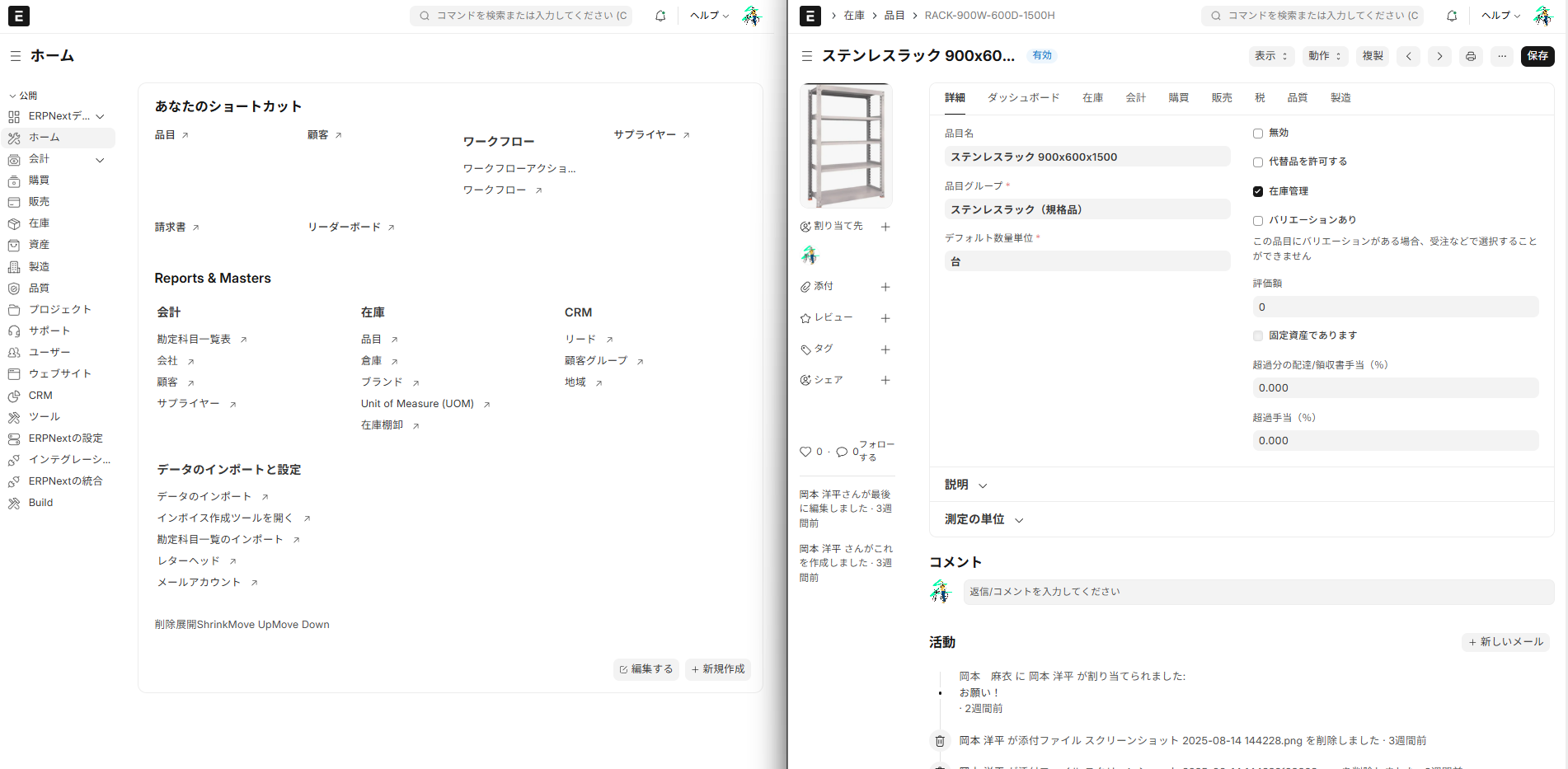
Tips:
-
Do not overwrite the ja.csv file on the main system, such as apps/erpnext/erpnext/.../locale/ja.csv. → It will disappear with the update. The principle is to keep it on the app side.
-
Git management → The application side will be managed separately using Git, and the main system will not be modified.
5. Summary
This article summarizes the following aspects of custom apps in ERPNext.
- ERPNext allows for "unbreakable customization" and is robust against updates.
- Custom apps can be extended without modifying the device itself by utilizing features such as DocType, Hooks, and Overrides.
- By creating an app that includes GUI changes and managing it with Git, team development and migration become easier.
- actually
my_custom_appUsing this, adding Japanese translation can also be implemented simply.
In the future,
- Customization of chart of accounts and consumption tax processing to match Japanese accounting and tax systems.
- User-friendly tablet UI for on-site use, and automatic invoice PDF generation and sending function.
- Added approval flow functions required by Japanese companies, such as "all-hands approval" and "staged approval," to the project/budget workflow.
We plan to implement these specific customizations sequentially and publish them as articles.
Introduction to and Experience of MyHaTch
We at MyHaTch provide implementation support and customization services for ERPNext for Japanese companies. In particular, we offer features such as "unbreakable customization," optimization for Japanese language environments, and demo environments equipped with industry-specific sample data.
- Experience the demo environment → demo.maihatch.com
- Receive a free consultation → "ERPNext Emergency Consultation Center" is held every week.
- See case studies and tips → MyHaTch Official Website
We encourage you to try it out and experience the flexibility of ERPNext and the power of Custom Apps for yourself.
Related articles
 7 min
7 minAutomate your backend with no code — A guide to using server scripts
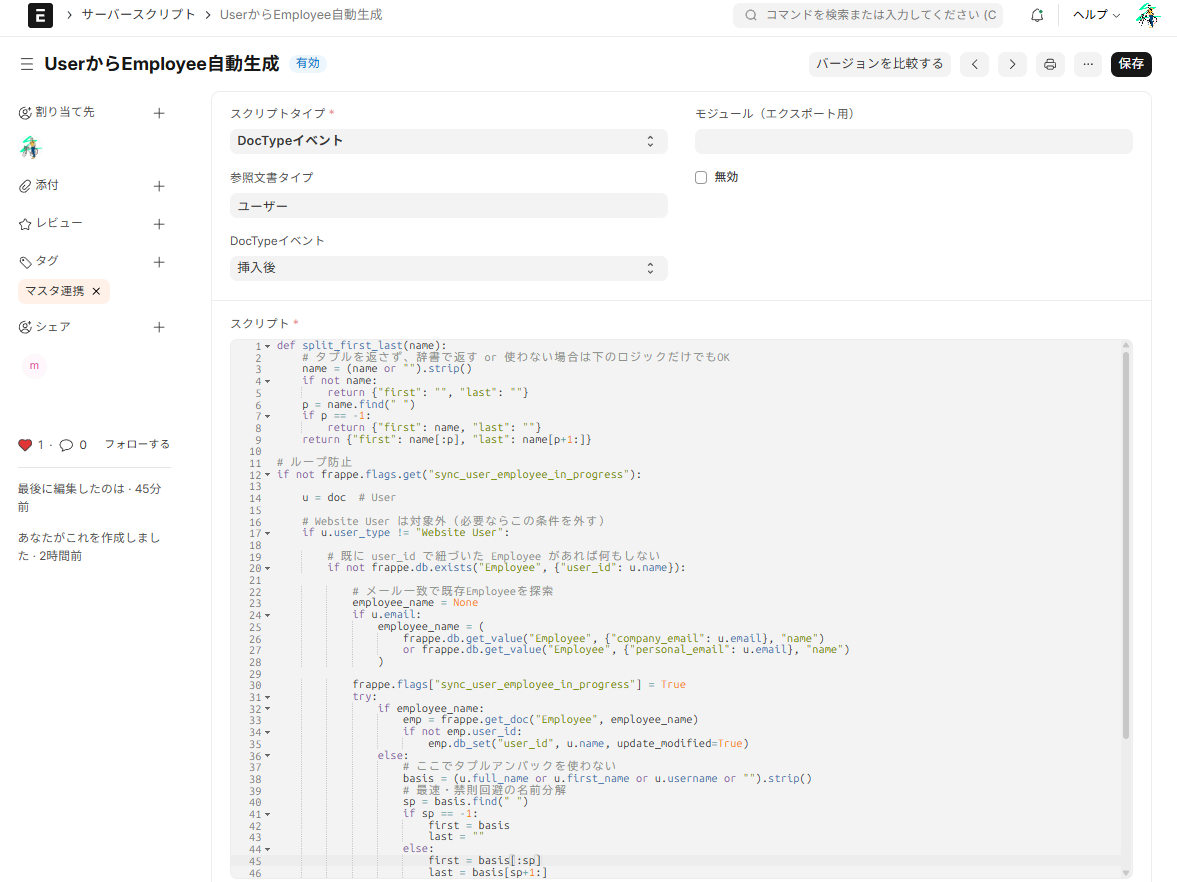
This article explains how to automatically generate an Employee when a User is created using an ERPNext server script, with implementation examples. It's a lightweight extension that can be used like a Salesforce Apex trigger.
 6 min
6 minComplete control over the input screen — A guide to using client scripts
This guide explains, with practical examples, how to implement form auto-filling, display control, and validation using ERPNext client scripts. Basic JavaScript knowledge is all you need to get started.
 8 min
8 minIt won't break even after updates — the strength of ERPNext's expandability design
ERPNext minimizes the risk of corruption during version upgrades through its "separation of core and custom parts" and "extension via official hooks/APIs." This article explains why you can customize it with peace of mind.