
Breaking the Limits of kintone — A Complete Guide to Migrating to ERPNext
Feeling the limitations of kintone for business management? This guide clearly explains how to migrate to ERPNext, which solves the problems of multiple apps, inventory management issues, and duplicate accounting entries, all at once, and includes a cost comparison.
Are you experiencing any of these issues with kintone?
Three years, five years since implementing kintone... I started using kintone because I was attracted to the idea that "the team can freely create apps." It was really convenient at first. But recently, haven't you heard comments like this from people on the ground?
- 📱 "Which app is this data in again?" — With over 50 apps, no one can keep track of the whole picture.
- 📦 "I shipped the item, but the inventory figures don't match..." — Inventory management that relies on manual updates
- 💰 "Another full day at the end of the month, manually entering data into freee..." — Double data entry repeated every month
- 🏭 "Isn't the only way to calculate the timing of parts orders to use Excel?" — I can't do BOM development or MRP.
- 💸 "We'll be adding more employees next term, but that means the kintone fees will go up too..." — Ever-increasing user charges
If even one of these points resonates with you, then this article was written specifically for you.
It's not kintone's fault. kintone and ERP (Enterprise Resource Planning) systems are tools with fundamentally different roles. Continuing to use these tools without understanding their "differences in function" results in tens of hours of wasted work per month and over 1 million yen in extra costs per year.
Five "Structural Limitations" of kintone
kintone is a fantastic tool. The flexibility that allows on-site teams to create their own apps is a strength that no other tool offers.
However, as the company grows, things that are structurally impossible with kintone become apparent. This isn't a flaw of kintone, but rather stems from a fundamentally different design philosophy compared to ERP systems.
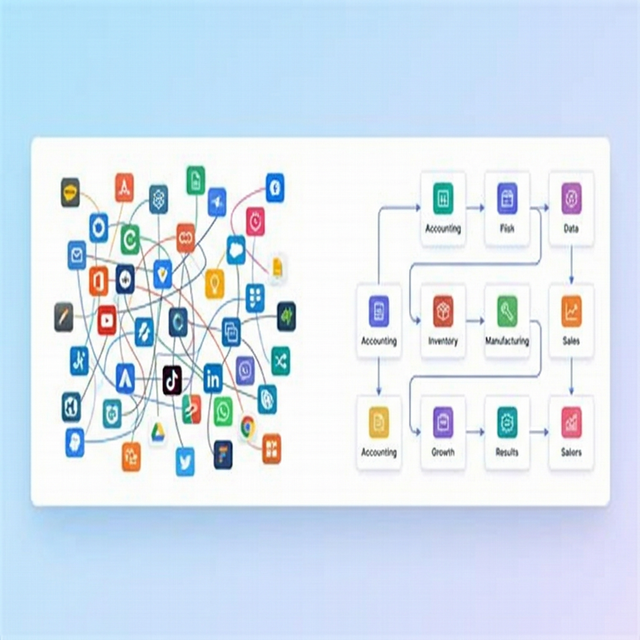
❶ App Sprawl — Uncontrollable Growth
While kintone's flexibility is appealing, the flip side is that anyone can create something with it.
Before you know it, the number of apps increases to 50, then 100, and similar apps start popping up everywhere. "Which app contains this data?" "Who created this app?" Business processes are becoming increasingly opaque.
If the number of references (lookups) between apps increases too much, it becomes difficult to predict the scope of the impact of changes. This will create apps that people are too scared to touch.
This situation will only worsen if left unattended. The complexity increases exponentially with each new app, and there's a risk that one day it will suddenly become a system that "nobody can fix."
❷ Automatic withdrawal of inventory cannot be performed.
This is the biggest obstacle for manufacturing and wholesale businesses.
It is possible to create an "inventory management app" using kintone. However, registering a shipping slip does not automatically reduce the inventory count.
To keep inventory levels accurate, you need to manually update a different app for each shipment. As long as people are involved, mistakes are unavoidable. As a result, the situation where kintone's inventory count and actual inventory do not match becomes the norm.
A 1% inventory error can result in a 3 million yen opportunity loss for a company with annual sales of 300 million yen. Lost sales due to stockouts and tied-up capital due to excess inventory are often difficult to see, leading to delayed countermeasures.
❸ Accounting and business data are disconnected.
Kintone does not have a built-in accounting function. Therefore, order and sales data must be manually entered into software such as freee, MF Cloud, Yayoi.
This "double input" is the tricky part.
- Transcription errors occur
- End-of-month closing procedures take a full day.
- Inconsistencies between sales data and accounting data are found, resulting in rework.
If we assume that an accounting staff member spends 20 hours a month on this task, that amounts to 240 hours a year. This translates to 600,000 to 1,000,000 yen being wasted on unnecessary work.
With an ERP system, accounting entries are automatically generated the moment a sale is recorded.
❹ Inability to develop MRP/BOM — Core manufacturing functions are absent
One of the most important functions for manufacturing companies is MRP (Material Requirements Planning) and BOM (Bill of Materials) development.
- "To make 100 units of finished product A, you need 300 units of part B and 200 units of part C."
- "We don't have enough stock of part B, so we need to place an order this week."
This process of "receiving an order → calculating necessary parts → checking inventory → automatic ordering" is This cannot be achieved with kintone's design philosophy. This is because MRP, the core function of ERP, is based on the premise that data is integrated into a single system.
As long as we continue to rely on Excel and manual processes, the risks of ordering errors, excess inventory, and delivery delays will never disappear.
❺ Expansion of user charges
kintone's pricing structure is monthly billing per user (prices revised in November 2024).
| Course | Monthly Price | For 30 people | For 100 people |
|---|---|---|---|
| Light Course | 1,000 yen/person | 30,000 yen/month | 100,000 yen/month |
| Standard Course | 1,800 yen/person | 54,000 yen/month | 180,000 yen/month |
| Wide Course | 3,000 yen/person | Minimum 1,000 people | — |
- The Lite course does not allow API and JavaScript customization, so the Standard course is required for practical use.
Furthermore, since kintone alone is insufficient for business operations, plugin fees will be added. It's not uncommon for plugins to cost ¥20,000 to ¥50,000 per month for features like report output, calendar integration, and workflow extensions.
This expense will continue this month and next month. The more employees we have, the higher the total cost of kintone plus plugins will become.
⚠️ Have you ever calculated the cost of continuing to use it for the next five years? If 30 people use kintone + plugins + accounting software + inventory management tool for 5 years, The total will be between 6.84 million and 11.04 million yen. Please check the comparison table below to see if this amount is reasonable.
With ERPNext, it's integrated from the start.
Here are five points I cited as the "limitations" of kintone. How are these issues resolved in ERPNext?
| Limitations of kintone | The reality of kintone | ERPNext's solution |
|---|---|---|
| App proliferation | Over 100 apps, the overall picture is unclear | All data is integrated into a single database. Organized with a modular structure. |
| Automatic Inventory Management | Inventory counts are manually updated even after shipments | Inventory is automatically deducted when a shipping slip is registered |
| Duplicate Accounting Entry | Manual entry every month in freee, etc. | Accounting entries are automatically generated simultaneously with sales recognition |
| MRP/BOM Deployment | Structurally impossible to implement | Multi-stage BOM deployment → MRP → Automatic ordering are included as standard features |
| User-based billing | 54,000 yen/month for 30 users + plugins | ERPNext.JP: full source handed over (own it), zero per-user billing, unlimited (contact us for pricing) |
💡 ERPNext is not about "adding features later with plugins," but rather "having everything included from the start." Accounting, inventory, manufacturing, sales, purchasing, human resources—all modules are license-free. ERPNext.JP comes standard with support for Japanese tax laws (consumption tax and invoice system).
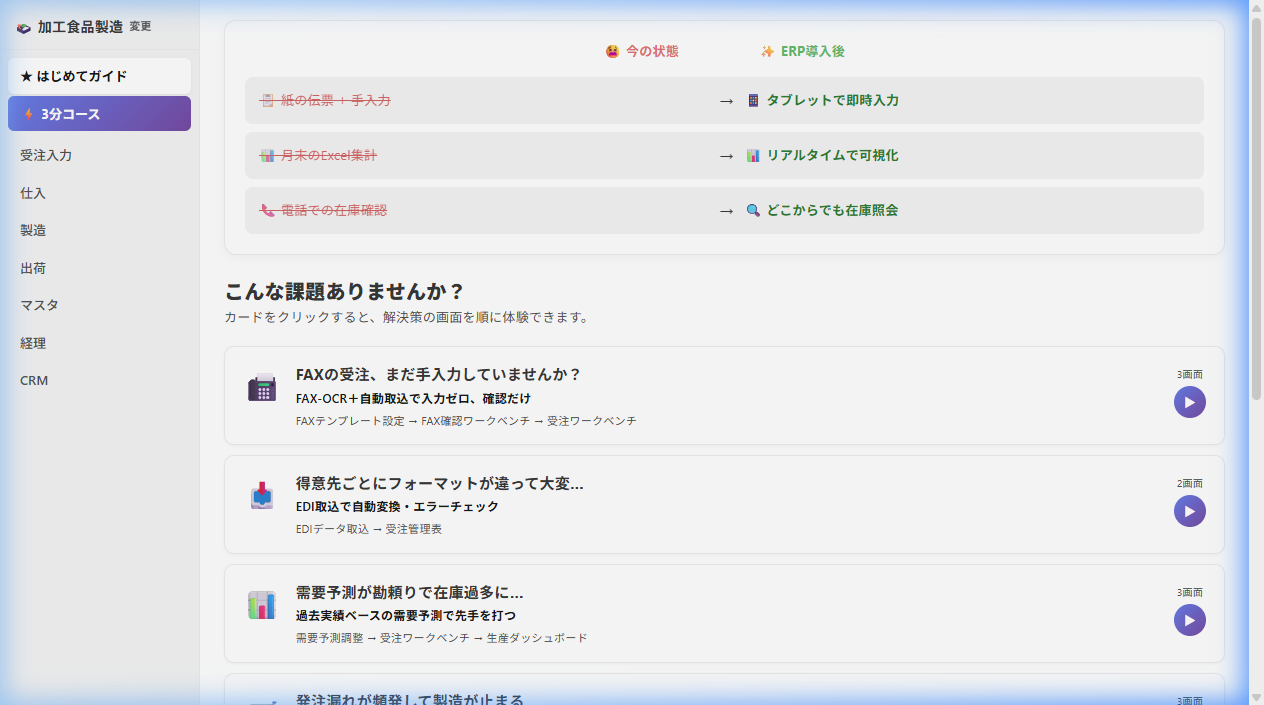
The difference between a "kintone mindset" and an "ERP mindset"
Let's take a moment to clarify the differences in our perspectives. Understanding the differences between kintone and ERP systems helps you realize that it's not a matter of "which is superior," but rather that they "have different roles."
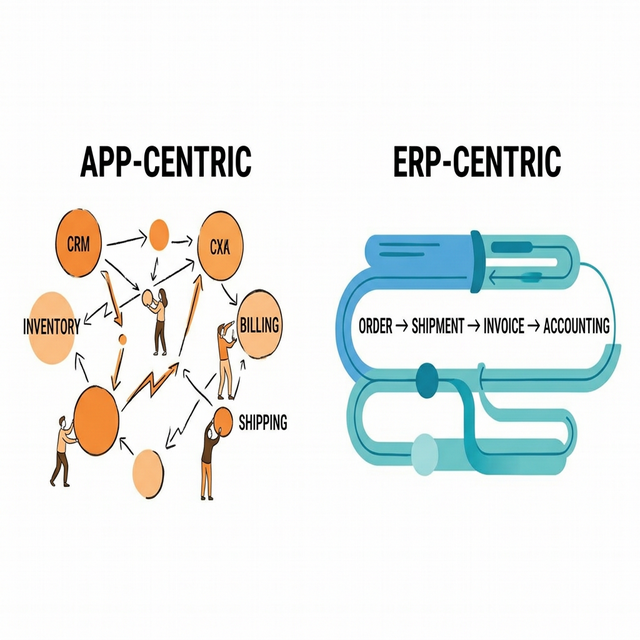
| kintone brain | ERP brain | |
|---|---|---|
| Thinking Process | "Create an app" | "Design a business workflow" |
| Data Storage Method | Independent for each application. Lookups performed as needed. | All data is linked to a single database. |
| Workflow | Each app is a point; people connect them. | Order → Shipping → Invoicing → Accounting forms a single line |
| Direction of Flexibility | Allows on-site staff to freely create apps | Allows management to oversee the entire operation |
| Strengths | Ability to quickly implement small improvements | Ability to grasp company-wide figures in real time |
kintone is ideal as a tool for quickly solving on-site problems. ERP is a system that connects all of a company's operations in a single pipeline.
As a company grows, and the need arises for cross-departmental data integration and integrated management of inventory, manufacturing, and accounting— This doesn't mean that "kintone has reached its limits," but rather that "the company has moved on to the next stage."
Combining them is also an option.
If you're unsure about a "complete migration," you can also use kintone and ERPNext together. This involves keeping the on-site kintone system as is and migrating only the back-office functions to ERPNext. For more details... kintone × ERPNext Usage Guide Please take a look.
Migration Roadmap — 3 Steps
It's natural to think, "Migrating to an ERP system sounds like a huge undertaking." However, there are almost no cases where companies that have successfully transitioned have switched over company-wide all at once. Everyone is proceeding in stages.
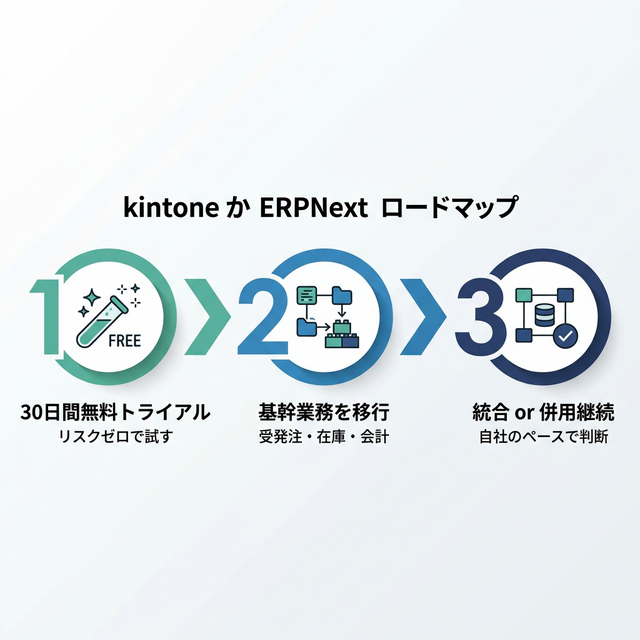
Step 1: Try ERPNext.JP's 30-day free trial (zero risk)
Let's start by trying it with zero cost and zero risk.
- The ERPNext.JP trial environment can be issued in 1 minute.
- No credit card required — No worries about automatic billing
- Check the user experience by inputting actual business data.
- Fully supports Japanese, includes demo data for immediate use.
You can check whether it's suitable for your business operations without spending any money. If it doesn't suit you, simply leave it as is. You don't even need to go through the cancellation process.
Step 2: Migrate core business operations to ERPNext
If we determine during the trial that it's "usable," we'll first migrate our core business processes to ERPNext.
- Order Management — From quotation to order placement to shipment to invoicing, all in one seamless process.
- Inventory Management — Automated management of incoming and outgoing goods ensures that actual inventory always matches the recorded inventory.
- Accounting — Sales and purchase journal entries are automatically generated. Free yourself from manual data entry using software like freee.
At this stage, elimination of duplicate data entry, improved inventory accuracy, and faster monthly closing are achieved. This is the step where many companies find themselves thinking, Why didn't we do this sooner?
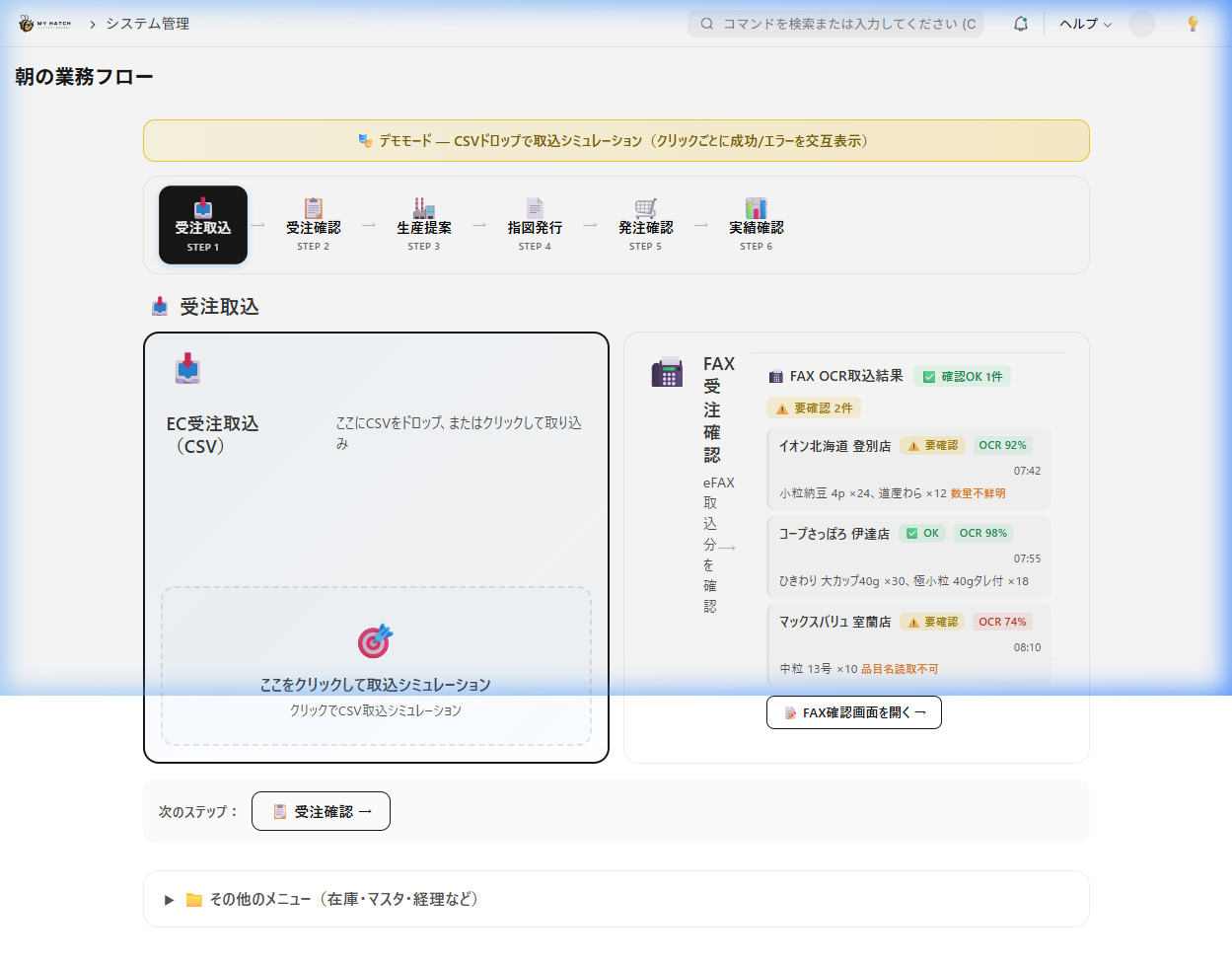
Step 3: Gradually integrate or continue using the remaining kintone applications.
Once our core business operations are stable with ERPNext, we will organize the remaining applications in kintone.
- If integrating: Migrate daily reports, CRM, workflows, etc. to ERPNext. Cancel kintone to further reduce costs.
- If you continue using both: If the team is already familiar with kintone, continue using it as is. Data will be automatically synchronized via API integration.
You can choose either route. The important thing is that you can proceed at your own pace.
Cost Comparison — Total Cost of Ownership (TCO) over 5 Years
There are costs associated with "not moving." Let's compare what happens if you continue using the current system for five years versus migrating to ERPNext.
| Item | kintone + various tools | ERPNext.JP |
|---|---|---|
| kintone monthly fee (30 users, Standard) | 54,000 yen | 0 yen |
| Paid Plugin | 20,000-50,000 yen/month | 0 yen |
| Accounting software (freee / MF Cloud, etc.) | 30,000-50,000 yen/month | 0 yen (with built-in accounting functions) |
| Inventory Management Tool | ¥10,000-¥30,000/month | ¥0 (Built-in inventory function) |
| ERPNext.JP | — | Full source handed over (own it) + optional maintenance subscription — contact us for pricing |
| Monthly (running) cost | ¥114,000 - ¥184,000 | Optional maintenance only (no per-user billing) |
- Where kintone plus tools is "cost that goes out every month for as long as you keep using it," ERPNext is owned up front, with zero per-user billing (contact us for pricing). It's the labor savings and unlimited users below that make the difference.
Own the source and the system becomes your company's asset. With ERPNext.JP the full source code is handed over. Where kintone plus various tools is "cost that goes out every month for as long as you keep using it," once you own ERPNext.JP there is zero per-user billing thereafter — the cost stays the same even if your company grows to 50 or 100 employees.
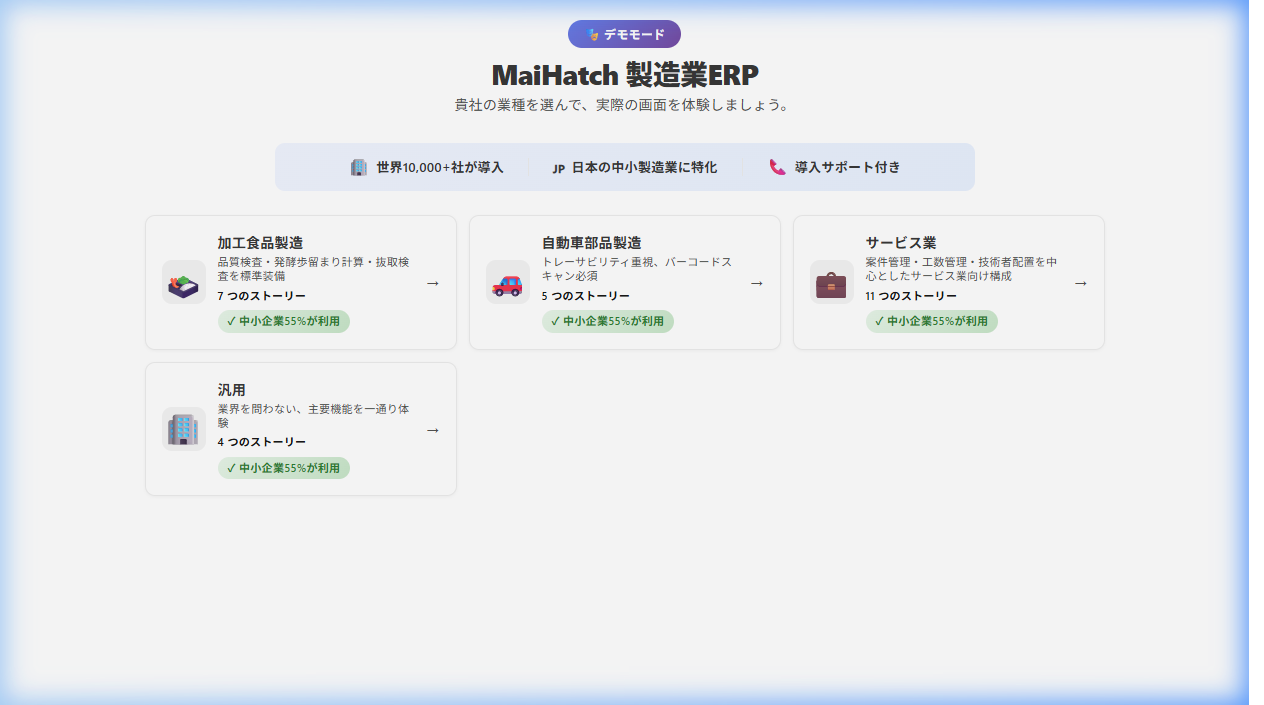
Furthermore, even more significant than cost savings is the reduction of effort.
- End-of-month data entry into accounting software: Zero
- Manual inventory update: Zero
- Data matching between apps: Zero
This eliminates 20 to 40 hours of manual work per month. In terms of labor costs, this translates to an annual saving of 1 to 2 million yen (up to ¥10M over five years).
In other words, even though the software cost is roughly comparable, combining the labor savings (up to ~¥10M over five years) with unlimited users produces a difference of up to ~¥12M over five years — and because you own the source, that value accrues on top of your own asset.
One Year Later: Companies That Make the Transition vs. Companies That Don't
Finally, try to imagine the future one year from now.
| If you continue using kintone | If you migrate to ERPNext | |
|---|---|---|
| End-of-Month Accounting | I'm manually entering data into freee again this month. It takes a full day. | Monthly report with just one click. Completed by noon. |
| Check Inventory | "Go to the shelf and count them" | Check in real time by opening the screen |
| Ordering parts | Calculate using a calculator while looking at an Excel spreadsheet | MRP automatically calculates the required quantity and generates a purchase order |
| New Employee Account | IT staff applies to add account to kintone (+1,800 yen/month) | Added via admin panel. No additional cost. |
| Management Decisions | Collect Excel files from each department and compare them | Instantly check company-wide figures on the dashboard |
💡 There's a phrase that many companies that have migrated to ERPNext say: "I should have switched over sooner." The time you spend hesitating is actually a cost as well.
🚀 Why not try it for free for 14 days?
Environment setup in 1 minute. No credit card required. If it doesn't suit you, just leave it alone.
If you feel you've reached the limits of kintone, try it out and compare it to other options.
Related Articles
Can kintone data be migrated to ERPNext?
Yes. You can export data using kintone's CSV export function and import it using ERPNext's data import tool. It supports the migration of major data such as customer master, product master, and transaction history. ERPNext.JP's implementation support also includes data migration assistance, so you can proceed with confidence regardless of your IT knowledge.
How long will the transition period take?
For a company with around 30 employees, the migration of core business processes (order processing, inventory, and accounting) typically takes 2 to 4 months. First, a 14-day trial is conducted to verify the workflow, followed by a phased transition to the production environment. Since the migration is done departmentally and process by process, rather than switching everything at once, there is no risk of disrupting operations.
I'm not very knowledgeable about IT, is that okay?
Yes. ERPNext.JP (MyHaTch) specializes in supporting companies that lack dedicated IT experts. We provide comprehensive support, from initial setup and data migration to operational training. ERPNext itself has a user interface that's as easy to use as Excel, so your staff will quickly get used to it.
Is it possible to migrate only a portion of our kintone system to ERPNext?
Absolutely. A "hybrid approach" is possible, where you can keep your existing kintone operations (daily reports, project management, on-site inspection records, etc.) and migrate only back-office operations such as inventory, accounting, and manufacturing to ERPNext. For more details... kintone × ERPNext Usage Guide Please take a look.
After migrating to ERPNext, is it possible to revert back to kintone?
ERPNext is open source (GPLv3), so there is no vendor lock-in. Data can be exported at any time in CSV/Excel format, and migration to other systems is also possible. The peace of mind that comes from always having the option to "revert if it doesn't suit you" is a strength unique to open source.
Related Articles
- kintone × ERPNext Combined Guide — The Best Combination for Making the Most of Your Data - ERPNext.JP Cloud Implementation Cost Guide - A thorough comparison of 5 free ERP systems. - ERPNext vs Odoo thorough comparison
Related articles
 8 min
8 minkintone × ERPNext Combined Guide — The Best Combination for Making the Most of Your Data
Continue using kintone while integrating inventory, accounting, and manufacturing management with ERPNext. This article clearly explains three patterns for using kintone + ERPNext together and compares their costs.
 7 min
7 minERPNext.JP Implementation Cost Guide | Own the Source as Your Asset
We reveal ERPNext.JP's cost structure: the full source code is handed over so you own the system as your asset. Includes a comparison of four major ERP systems. Contact us for pricing.
![A thorough comparison of 5 free ERP systems [2026 Edition]](/images/documents/free-erp-comparison-hero.png) 8 min
8 minA thorough comparison of 5 free ERP systems [2026 Edition]
We've carefully selected five free ERP systems and compared their features, costs, Japanese language support, and limitations in a comprehensive overview. For those searching for "free ERP" or "open-source ERP," we'll clearly explain how to choose the right one to avoid making mistakes.