
ERPNext's Technology Stack Explanation — A Modern Configuration Using Python, JS, and MariaDB
This guide explains the technologies ERPNext is built on, aimed at developers. You'll gain fundamental knowledge necessary for extension development, including the Frappe Framework, REST API, and real-time communication.
Introduction
When people hear the term "ERP," many might picture an outdated, cumbersome, and difficult-to-customize system. However, ERPNext operates with such modern technology that it completely overturns that image.
If you take a look inside, you'll find that it runs on the same technologies as modern web applications, such as Redis, Socket.IO, and RQ (Redis Queue).
- A real-time notification system like Slack
- Asynchronous processing by workers
- How to scale out
Reading this article will give you a diagrammatic understanding of ERPNext's internal structure, providing valuable insights for engineers considering implementation or customization.
ERPNext Overall Configuration Diagram - A Simple and Modern Architecture
The overall structure of ERPNext may seem complex at first glance, but when you break it down, it's very simple. It is broadly composed of the following layers.
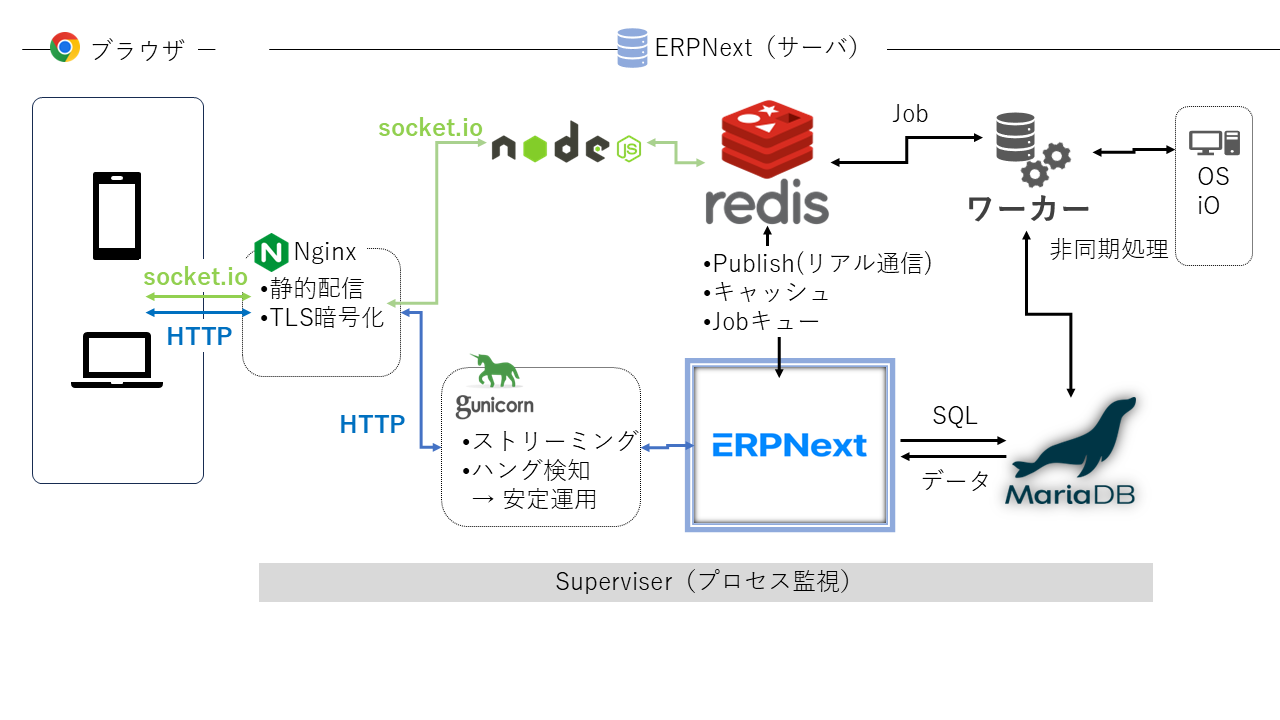
- Nginx: Receives requests at the entry point and is also responsible for static files and SSL.
- Node.js + Socket.IO: Handling real-time notifications
- Gunicorn: Bridging the gap to Python applications (Frappe/ERPNext)
- Redis: Responsible for caching, queuing, and notifications (this is the key!)
- ERPNext: Processes DocType and business logic.
- Worker: Responsible for asynchronous processing.
- MariaDB: An RDB for storing data.
- Supervisor: Monitors the above processes together.
In other words, ERPNext is the configuration for running Flask or Django applications. It incorporates "Redis" and "Socket.IO," resulting in a modern web application-like design.
🔶Redis
Redis is responsible for speeding up processing through caching, asynchronous processing through queues, and real-time performance through notifications.
🔶Socket.IO
Socket.IO handles real-time communication without relying on polling, which can increase communication costs.
🔶Worker
By offloading time-consuming processes to Redis Queue and then to workers, we achieve a smooth and responsive user experience without long wait times.
When you hear "ERP," you might imagine a giant monolith, but ERPNext has a structure that's almost identical to modern web services.
Real-time processing with ERPNext – Achieving a Slack-level notification experience with Socket.IO
When you think of ERP, you might have the image of "reloading and checking after updating." But ERPNext has Slack-level real-time notifications.
The mechanism is,
- Server side:
frappe.publish_realtime("event", data)This triggers a notification. Redis → Node.js + Socket.IO → Client - Client side:
frappe.realtime.on("event", handler)Instant Receive
This means that, for example, if information such as approval flows is updated, other users' screens will immediately reflect the changes.
In other words, it's almost exactly the same as the mechanism that sends read receipts in Slack. It's a huge surprise that an ERP system can offer a "chat app-like experience."
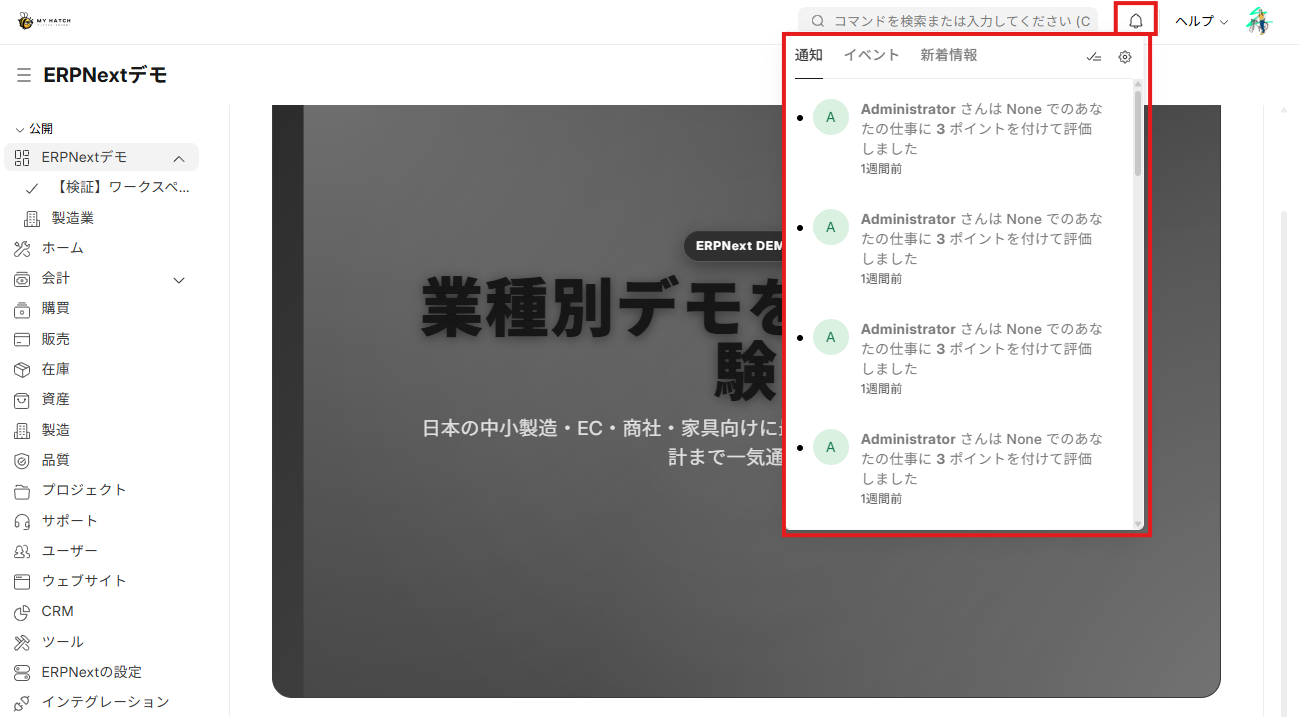
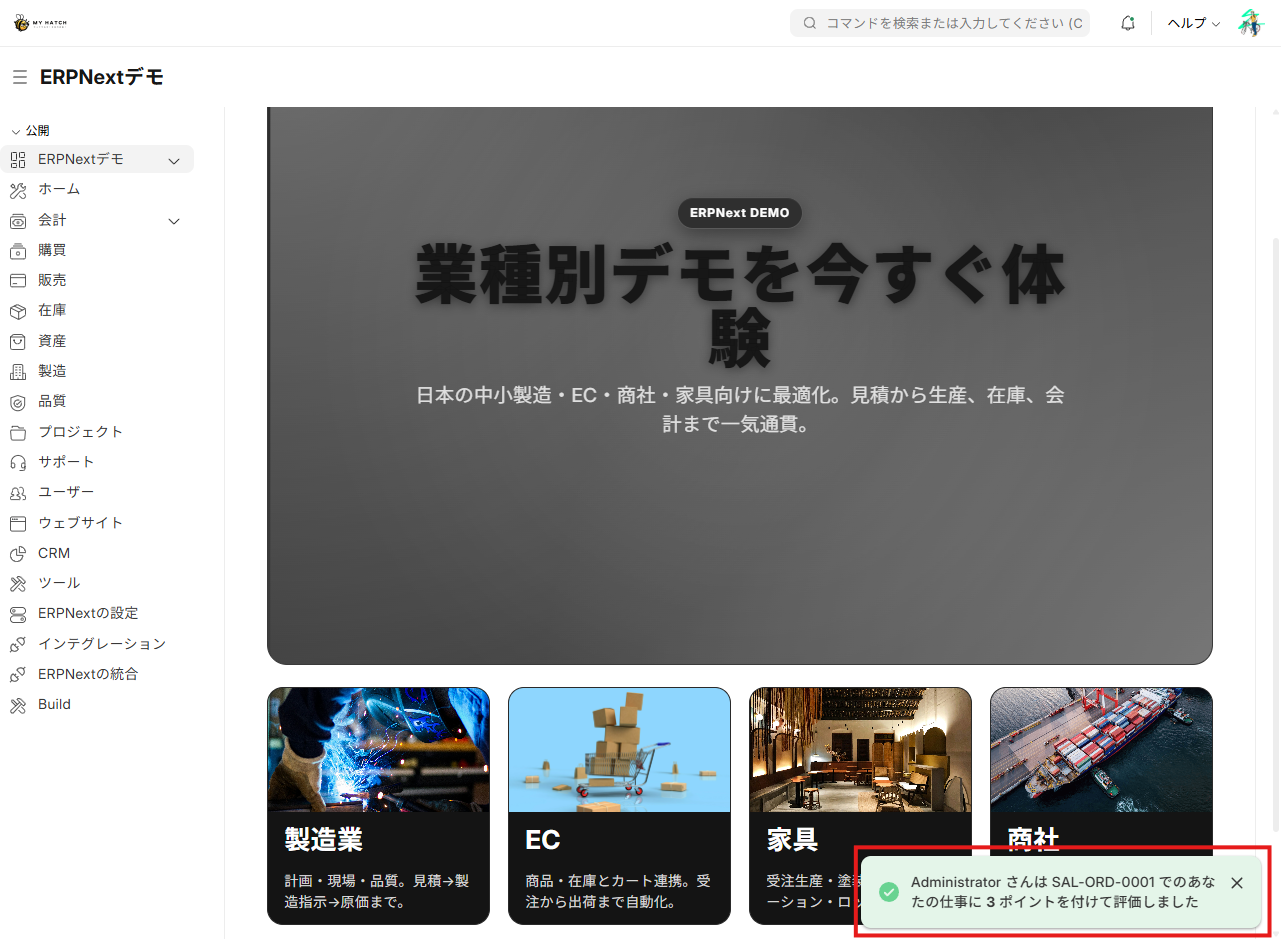
Of course, pop-up notifications can also be displayed.
Asynchronous Processing in ERPNext – Streamlining PDF and Email Processing with Redis Queue and Worker
Processing time-consuming tasks such as generating PDFs or sending large emails will be slow if you try to "load them onto the screen response." This is where ERPNext comes in, with its Redis Queue (RQ) + Worker.
- User actions
enqueue()It is then submitted to the queue as a "job". - Worker processes in the background.
- Once finished, save the results and notify the user that it's complete.
This is essentially the same concept as scheduling emails in Gmail or nightly batch processing.
Even though it's an ERP system, the fact that "there are workers handling jobs behind the scenes" is... From an engineer's perspective, this is a point where you might think, "It's just like a modern web application!"
ERPNext Production Configuration – Scalable from Small-Scale Deployments to Large-Scale Operations
ERPNext has a well-built architecture,
Initially, running the "all-inclusive" version on a single server is perfectly fine for a user base of around 30 people.
This is extremely useful for startups and small businesses that want to "try it out first."
However, as the business grows and the number of accesses and processing loads increase, the "all-inclusive" approach will reach its limits. That's where separation by role comes in.
- Web-based (Nginx + Gunicorn) → Processing user requests
- Worker-type (RQ Worker, Scheduler) → Responsible for background processing
- Realtime Systems (Node.js + Socket.IO) → Notifications and Chat 담당
- DB (MariaDB) → Data storage
Simply separating these into different servers will dramatically improve performance.
Furthermore, if you monitor and systemd to restart the process, You can achieve "cloud-native-like flexibility" while maintaining stable operation.
Of course, ERPNext is flexible enough to handle these scaling up needs.
Scaling and Accelerating ERPNext – Maximizing Performance with Redis Partitioning and MariaDB Replicas
The great thing about ERPNext is that it can scale naturally as you grow.
- Increase the number of web servers → Use Nginx as a load balancer for horizontal distribution.
- Increase the number of workers → Process PDF generation and email sending simultaneously.
- Dedicated Socket.IO server → Prevents notification delays
- Splitting Redis by role → Stabilizing by separating cache/queue/socketio into separate instances
- MariaDB Read Replica → Distributes the read load and reduces the write load.
Looking at it this way, "ERPNext = legacy monolithic application" is not the case. It's clear that this is a modern platform that can "grow smoothly" from small and medium-sized enterprises to large-scale applications.
With other ERP products, "large-scale versions" tend to be separate products, A major strength of ERPNext is that it can scale the same architecture without modification.
In other words, ERPNext is an ERP system that allows you to start small and grow big.
Summary – ERPNext is a modern web application platform powered by Redis and Socket.IO
As we have seen, ERPNext completely overturns the image of "legacy ERP."
- Slack-level real-time functionality: An experience where approvals and updates are reflected instantly.
- Background processing by Workers: Handling heavy processes smartly in the background.
- Scale-out: A mechanism that allows for scaling out by increasing the number of servers to distribute the load.
These mechanisms are the very same modern web application design philosophy that engineers encounter on a daily basis. In other words, ERPNext is better described as a "collection of modern web applications" rather than simply an "ERP" system.
MyHatch's ERPNext Implementation Support Service - A hands-on approach to help you start small and grow big
At MyHatch, we help Japanese companies adapt this modern ERPNext system to their specific needs.
- Implementation Consultation (ERPNext Emergency Helpline): A free and easy place to discuss the possibilities of ERPNext.
- Work-oriented support: We provide comprehensive support from requirements definition to prototype construction and customized development.
- Industry-Specific Templates: Pre-set templates for manufacturing, real estate, agriculture, and other industries, designed for ease of use by Japanese companies.
Rather than simply "ERP implementation support," we leverage modern mechanisms such as Redis's three-pronged approach and Socket.IO, We will work together to develop an ERP system that can be started small and grown big tailored to your business needs.
Understanding ERPNext not as "just an ERP system," but as a modern platform, This will be a great help to engineers who are taking on the challenge of implementation and customization.
And MyHatch will be there to support you every step of the way.
Related Articles
- Summary of ERPNext's Features Click here if you want to learn about the overall picture of ERPNext. The main modules and features are clearly organized.
- ERPNext Workflow Design Guide This is recommended for those considering automating approval flows and business processes. We'll explain it with real-world examples.
- Introduction to ERPNext Custom App Development This article will show you how to extend ERPNext without cluttering it using Python and the Frappé framework.
- ERPNext Cloud Implementation Steps This document summarizes the procedures and points to note when implementing ERPNext in a VPS or cloud environment.
Related articles
 10 min
Is it okay even with 1,000 users? — ERPNext Load Test Results Report
We've published the results of our actual tests on ERPNext's concurrent connection performance. The analysis of response time, throughput, and bottlenecks will help you determine if it's suitable for your company's scale.
 6 min
6 minFull-scale expansion is done with custom apps — the basics of ERPNext expansion development
This guide explains how to implement complex logic that cannot be handled by server scripts as an application. You will learn how to proceed with secure extension development separate from the ERPNext core.
 7 min
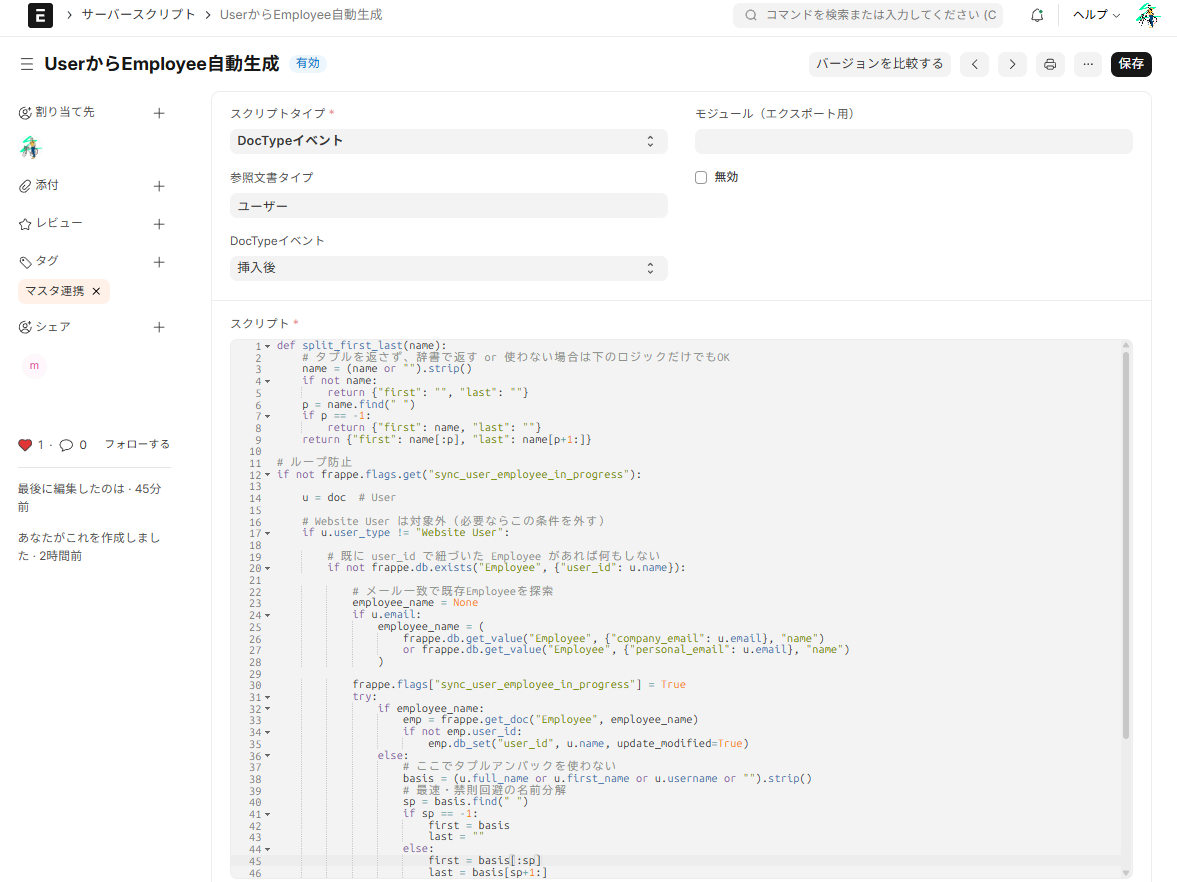
7 minAutomate your backend with no code — A guide to using server scripts
This article explains how to automatically generate an Employee when a User is created using an ERPNext server script, with implementation examples. It's a lightweight extension that can be used like a Salesforce Apex trigger.