
Basics of Manufacturing Orders (Work Orders)
This document covers the basic concepts and standard operations of ERPNext's Work Orders. For efficient operation methods using custom screens, please refer to the Production Proposal Dashboard and Work Order List.
What is a Work Order?
A manufacturing order is a document that specifies "what," "how many," and "by when" to be manufactured. Based on the Bill of Materials (BOM), it automatically calculates the required amount of raw materials and manages progress in conjunction with job cards (process control).
This system provides a custom screen that significantly streamlines the operation of manufacturing orders.
| Tasks | Recommended Screen | Explanation |
|---|---|---|
| Deciding what and how many to make | Production Proposal Dashboard | Automatically navigates to the optimal production volume based on demand, inventory, and equipment capacity |
| Material allocation, equipment allocation, and progress management | List of manufacturing orders | Bulk allocation and bulk equipment allocation for on-site readiness |
| Entering on-site performance data | Work entry | Record performance for each process |

How to Create a Manufacturing Order
Method A: Create in bulk from the production proposal dashboard (recommended)
This is the most efficient method. Work orders with optimal quantities based on demand analysis are created in bulk.
1. Production Proposal Dashboard Open 2. Review the proposal and adjust the quantity as needed. 3. Use "🚀 Bulk Issue" to create Work Orders for multiple items at once.
Method B: Created from order
- Open the submitted Sales Order.
- Click "Create ▾" → "Manufacturing Order"
- The BOM linked to the ordered items will be automatically selected.

Method C: Create a new one
- In the search bar
製造指図type - Click "+ Add"
Input Items
| Item Name | Description | Required |
|---|---|---|
| Item (Manufactured Item) | Select the finished product to manufacture | ✅ |
| BOM | Select the BOM to use (the default BOM associated with the item will be automatically set) | ✅ |
| Quantity | Manufacturing quantity | ✅ |
| Planning Start Date | Scheduled Manufacturing Start Date | ✅ |
| Expected Delivery Date | Expected Completion Date | — |
| Order | Associated order number (automatically set when created from an order) | — |
The "Required Materials" table displays a list of raw materials automatically calculated based on BOM × production quantity.

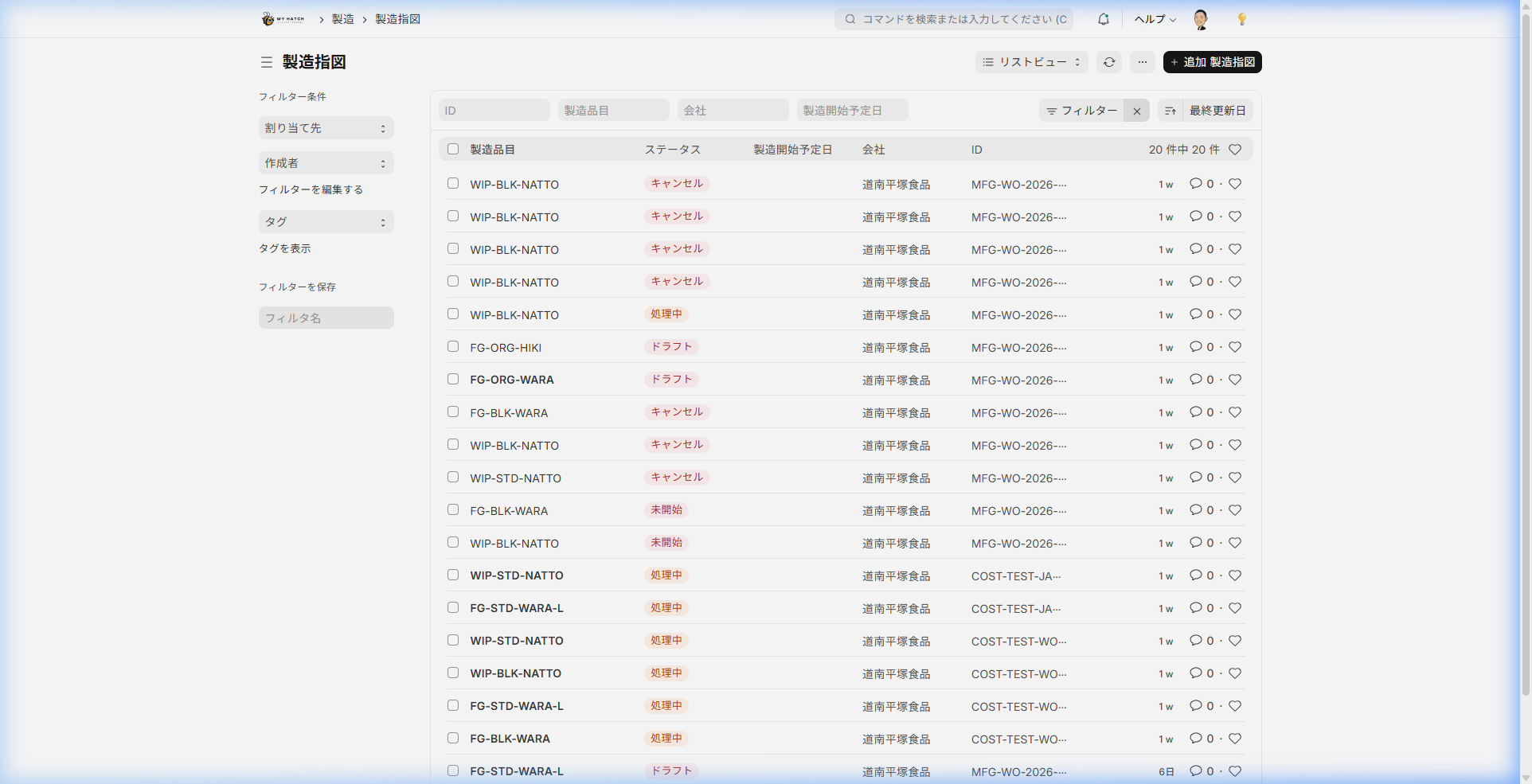
Status of Manufacturing Orders
| Status | Meaning |
|---|---|
| Draft | In progress. Materials and equipment allocation are being completed in preparation for issuance. |
| Submitted, Not Started | Issued, Awaiting Production |
| In Progress | Raw materials issued, manufacturing in progress |
| Completed | Manufacturing completed, finished products received |
| Cancelled | Cancelled |
Next Steps
- I want to know the overall flow of the production plan. Production Proposal Dashboard
- I want to know about post-issuance management → List of manufacturing orders
- I want to learn about process control → Job Card