
Demand calendar
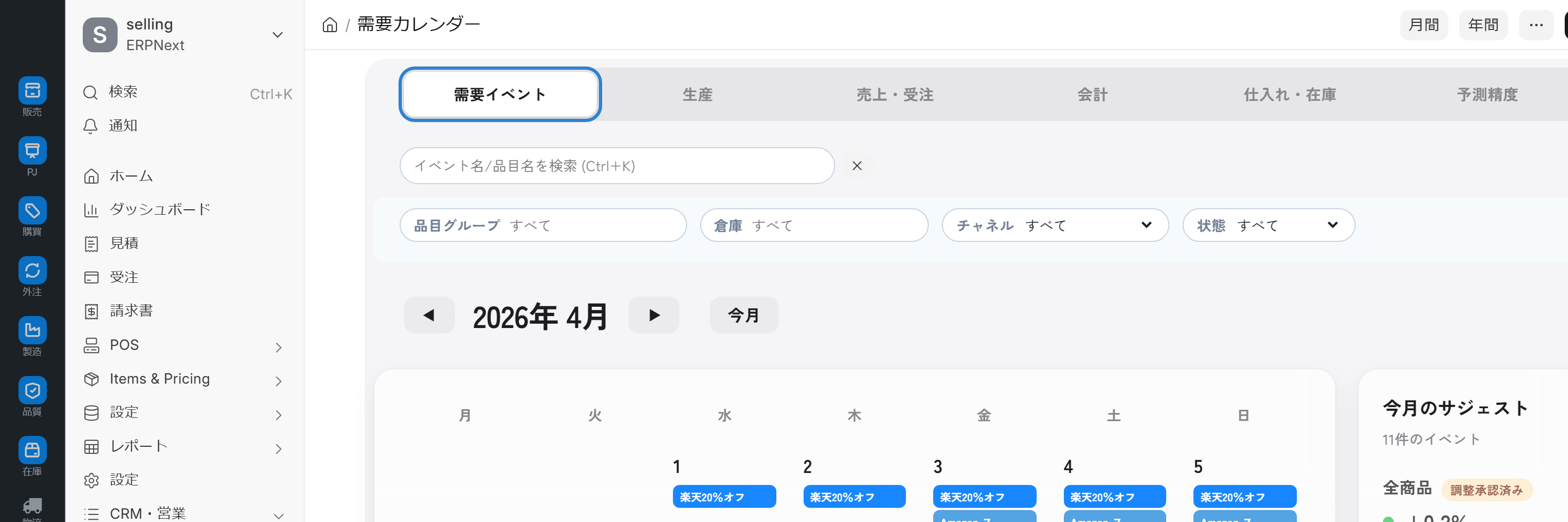
This integrated calendar screen provides a comprehensive monthly overview across six tabs: demand events, production, sales, accounting, procurement, and forecast accuracy. It also handles automatic import of e-commerce events, generation of annual recurring events, and monthly goal setting.
Related Articles The entire mechanism of prediction is Demand forecasting (AI) Deep dive into prediction accuracy is Prediction Accuracy Dashboard ,Prediction parameters and event sources are Setting up demand forecasts Please refer to the following. The overall sales demand forecast line is Sales workflow Please refer to the demand forecasting section.
What you can do on this screen
The Demand Calendar is an integrated dashboard that provides an overview of monthly demand events, production, sales, accounting, procurement, and forecast accuracy across six tabs.
- You can get an overview of when and on what scale this month's EC sales and events will take place.
- You can track the daily trends in production volume, sales, and income/expenses.
- You can receive production increase proposals for each product group.
- You can view a breakdown by channel, such as Rakuten, Amazon, and Yahoo!.
- You can review your monthly prediction accuracy.
- You can set monthly sales targets, production targets, and forecast accuracy targets.
By linking with an external ICS calendar, it automatically imports e-commerce events such as Rakuten Super Sale and year-end gift sales, and displays production increase suggestions by item group. The recommended way to use it is to open this screen first thing each week to get an overview of the month.
Screen URL:/app/demand-calendar
Overall screen layout: 6 tabs
By simply switching between six tabs, you can cross the perspectives of management, sales, production, accounting, purchasing, and forecasting.
| Tabs | What you can see |
|---|---|
| 1. Demand Events | EC events such as Rakuten sales, year-end gift sales, and marathons, annual regular events, impact bar |
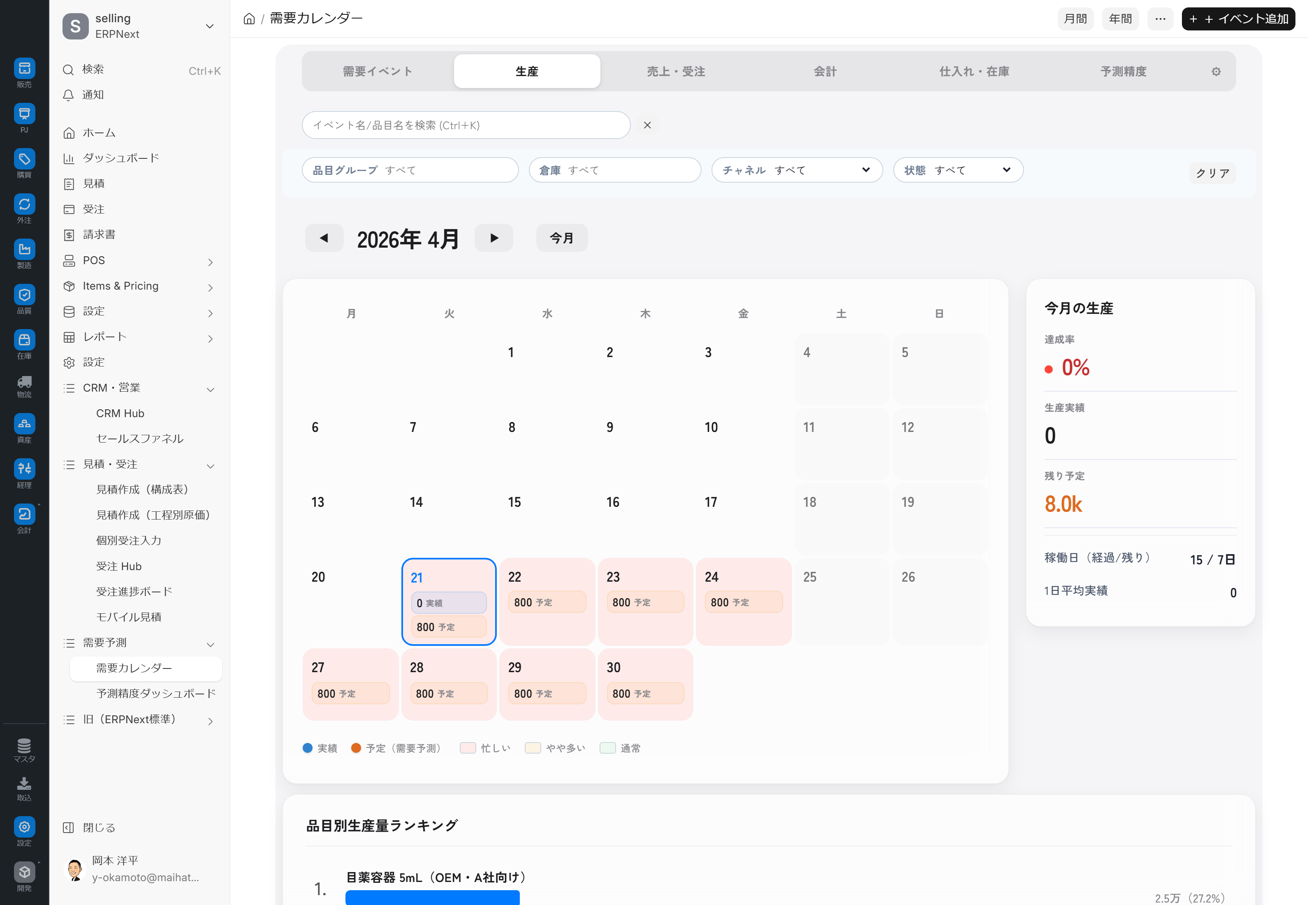
| 2. Production | Production Proposal Chart (Displaying Platform Allocation and Confidence Level) |
| 3. Sales and Orders | Monthly trends in sales and orders, broken down by channel |
| 4. Accounting | Daily schedule of income and expenses, tax and sales accounting |
| 5. Procurement and Inventory | Procurement plan, inventory status, expiration date alerts |
| 6. Prediction Accuracy | Monthly prediction error (MAPE), target achievement rate, target vs. actual comparison |
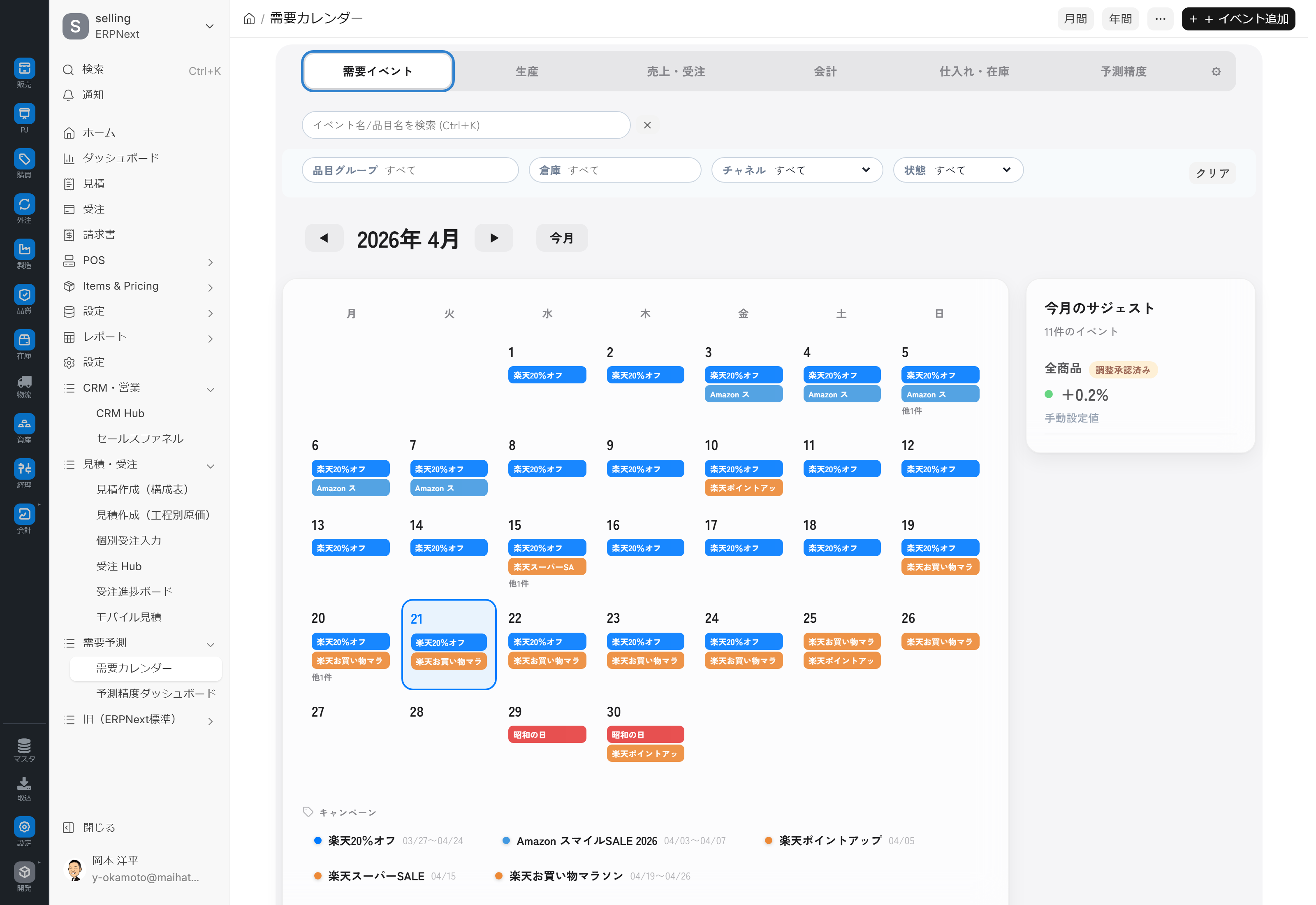
Display Mode
| Mode | Content |
|---|---|
| Calendar | Monthly Calendar (Monthly View, Grid Type) |
| Timeline | Timeline (a bar graph with dates on the horizontal axis) |
You can switch between modes using the button at the top.
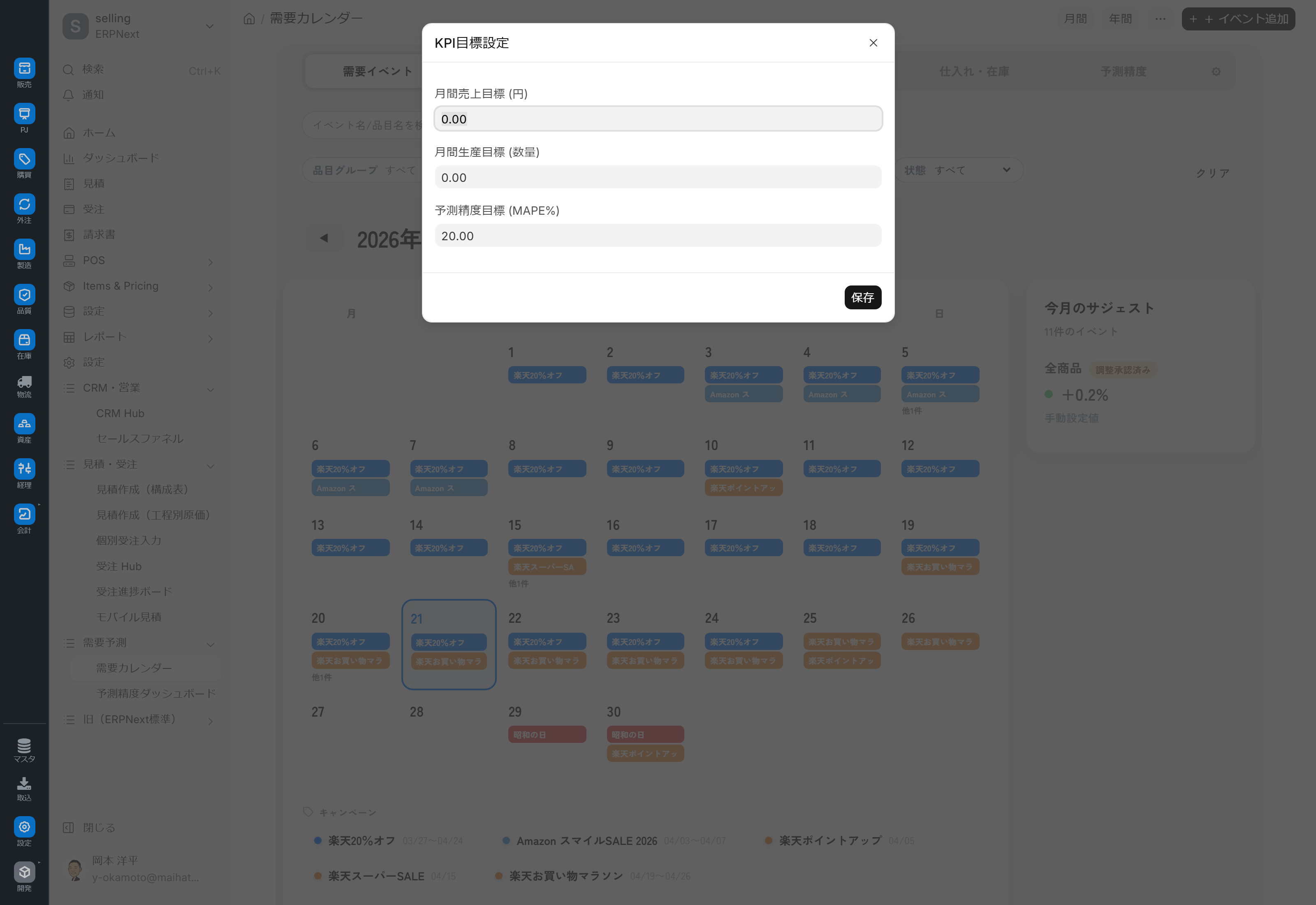
Setting Monthly Goals
You can set your monthly goals from the screen and compare them with your actual results.
| Target Item | Default Value/Example |
|---|---|
| Monthly Sales Target (yen) | Manual entry (Example: 50 million yen) |
| Monthly Production Target (Quantity) | Manual Input (Example: 10,000 units) |
| Prediction Accuracy Target (MAPE %) | Default: 20% |
After saving, you can compare the target and actual results in the prediction accuracy tab.
Production Tab — Production Proposal Chart
Prediction Accuracy Tab — Prediction Error (MAPE) and Target Achievement
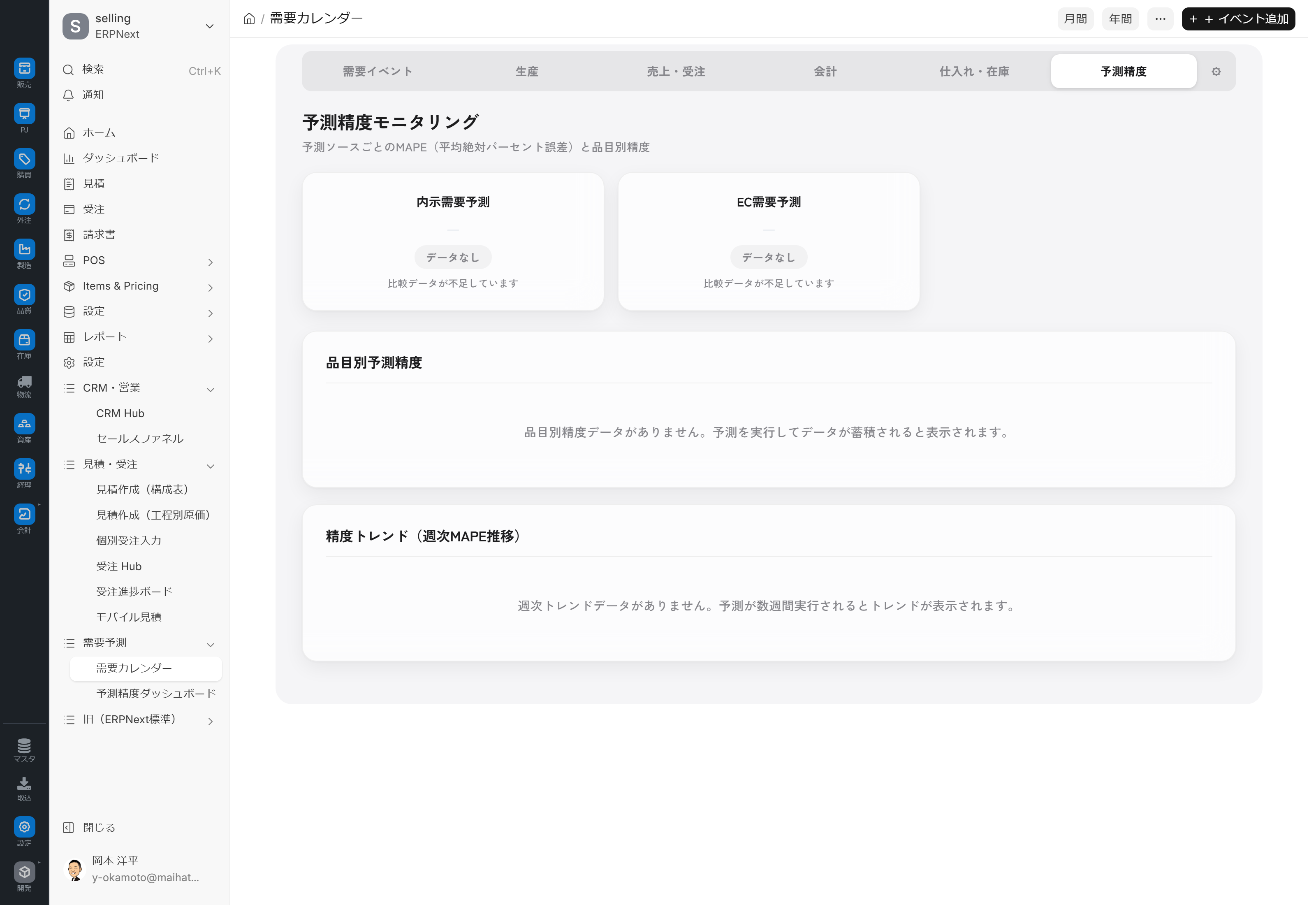
Automated collection of demand events
The key feature of the demand calendar is its automatic collection of e-commerce events function. Events retrieved from external ICS calendars are automatically reflected in the calendar.
ICS Calendar Integration
- Setting up demand forecasts It is obtained from the ICS URL.
- When automatic synchronization is enabled, data will be automatically synchronized at the set interval (default value: 24 hours).
Annual Regular Events
With just one button, you can automatically register for a whole year's worth of Rakuten Super Sale (4 times a year), year-end gifts, and Rakuten Marathon (monthly).
Narrowing Down/Focusing
You can filter by region, platform, and item group. Your filtering criteria are saved, so you can view the results in the same way next time.
Confirmed Flag
You can set a "confirmed" flag for each event, allowing you to highlight only "events that have not been addressed."
Indicators of Impact
| Level | Impact | Specific Examples |
|---|---|---|
| Significant increase in production | +30% or more | Rakuten Super Sale, year-end gift season |
| Increased production | +15-29% | Mid-year gifts, marathon |
| Slightly increased production | +5-14% | Company campaign, double points day |
| Normal | 0-4% | Regular business days |
Main Operations
1. Morning 3-Minute Routine (Every Monday)
- Open the demand calendar.
- Check the event bar for this month in the Demand Events tab.
- Check the Production tab to identify days with high production load.
- Check the progress towards your goal in the Prediction Accuracy tab.
- Adjust monthly targets if necessary.
2. Bulk registration at the beginning of the year
- Click the "Generate Annual Regular Event" button.
- You will be automatically registered for Rakuten Super Sale, year-end gift promotions, and shopping marathons for one year.
- Manually add your own events as needed.
3. Responding to sudden sales
- If you receive an emergency sale notification from Rakuten
- If automatic detection is not performed via ICS integration, manually register using "+ Add Event".
- Determine the level of impact based on past performance.
- It will be automatically reflected on the production and purchasing planning screens.
4. Setting Monthly Goals
- Open the monthly goal setting screen.
- Enter the following: Monthly Sales Target / Monthly Production Target / Forecast Accuracy Target
- Save
- You can compare the target and actual results in the Prediction Accuracy tab.
Linked destinations
| Linked to | Role |
|---|---|
| Setting up demand forecasts | Managing ICS URLs and enabling the prediction engine |
| Prediction Accuracy Dashboard | In-depth look at the Accuracy tab |
| Demand forecasting (AI) | The entire system |
| Order Hub Forecast Mode | Manual Editing of EC Forecasts |
| Order progress board | Where will the predicted values be reflected? |
| Prophet (Time Series AI Prediction) | Prediction Engine |
Permissions and Settings
Access Permissions
Currently, access is granted to System Administrators, Manufacturing Staff, and Manufacturing Supervisors. Access is not granted to the Sales role; therefore, if a Sales representative cannot access the screen, please request that the administrator grant them access.
Required settings
- Setting up demand forecasts Enable ICS URL and prediction engine
- Registration of item groups (groups of products to be forecasted)
- Introduction of the Prophet (time series AI prediction) package
Recommended
- The ICS calendar server must be running.
- Demo data for demand events (Rakuten Super Sale / year-end gift-giving, etc.) is included.
Precautions during operation
- Predictions will not work if Prophet is not installed.
- If the ICS URL remains at its default value, external event capture will fail.
- If the demand event data is empty, the calendar will display blank.
- Calculating the Prediction Error (MAPE) requires at least 14 historical and predicted data points.
Tips for Use
- 3 minutes at the start of each week: Every Monday morning, 3 minutes will give you a clear overview of what's happening this week.
- Don't forget to register all events at the beginning of the year: Run "Generate Annual Regular Events" once in January.
- Pay attention to color overlaps: Be especially careful on days when demand events (red) and stock shortages (warning orange) coincide.
- Prevent missed tasks with the confirmed flag: Completed events can be flagged to manage their completion status.
- Save filtering criteria: You can save frequently used filtering criteria and reuse them next time.
FAQ
Q: Is it okay to run "Generate Annual Regular Events" multiple times?
Although the system is designed to prevent duplicate registrations, we recommend running it once a year (at the beginning of the year or fiscal year) as a precaution.
Q: Can we register our own company's events?
Yes, you can manually add events as Event Category = Company Event. You can also incorporate the impact of company campaigns, anniversary sales, etc., into the prediction.
Q: What is the source of the events to be captured through ICS integration?
This service includes a typical e-commerce calendar for events like Rakuten Super Sale and year-end gift sales, as well as detection of sudden sales using AI scraping/search APIs. For detailed settings, see below. Setting up demand forecasts Please refer to the following.
Q: When will the forecast be updated after the impact level is changed?
Internal forecasts are automatically recalculated weekly, and e-commerce forecasts are automatically recalculated daily. In emergencies, administrators can also perform manual recalculations.
Q: I'm a sales representative and I can't open the screen.
Sales roles may not have screen permissions granted. Please ask your administrator to add the necessary permissions.
Q: Of the 6 tabs, which one should the sales representative look at?
The three tabs Demand Events/Sales & Orders/Forecast Accuracy are geared towards sales. Production, accounting, and procurement are assumed to be reviewed by the relevant departments.
Next Steps
- Understand the mechanism of prediction → Demand forecasting (AI)
- Review accuracy at the end of the month → Prediction Accuracy Dashboard
- Adjust the prediction parameters → Setting up demand forecasts
- Incorporate predicted values into the plan → Order progress board