
Sales workflow (entry guide)
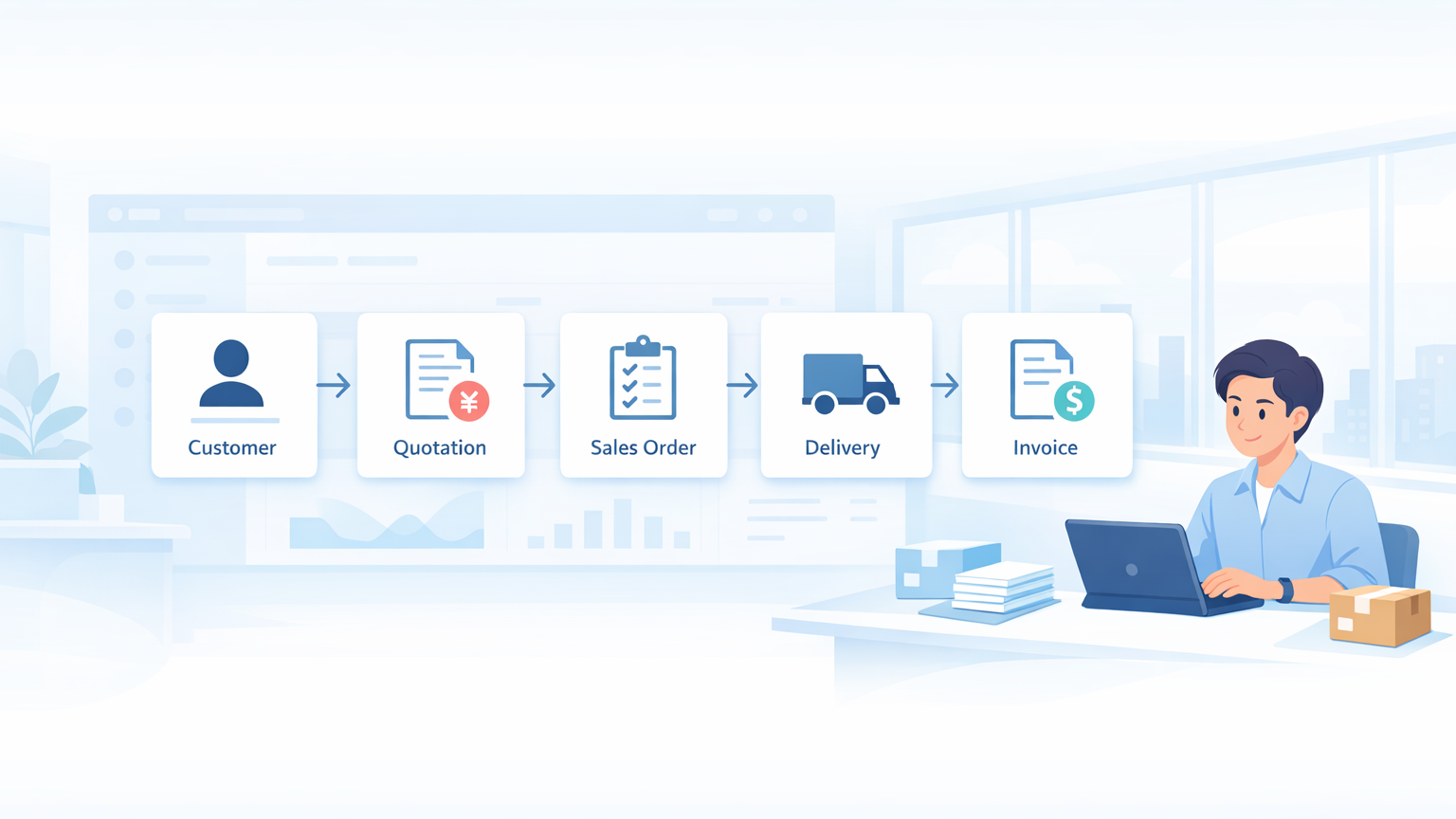
This is an entry guide that outlines the overall picture of sales operations, consisting of a 5-line structure: Master Data → Quotation → Order Received → Shipping → Invoice, and 5 channels: Face-to-face, E-commerce, EDI, Fax, and Mobile. It also organizes how to use each screen according to the person in charge.
The context of this article
Sales operations proceed in five lines: Master → Quotation → Order → Shipment → Invoice. Order entry is divided into five channels: In-person, EC, EDI, FAX, and Mobile, and which screen to use is determined by the "type of customer" and the "source of the order".
If you're unsure which screen to open or how to integrate orders from multiple channels, please first refer to the overall diagram and reading order by person in this article.
Overview of Sales Operations
5-line configuration
flowchart LR
    M[マスタ] --> E[見積]
    E --> O[受注]
    O --> D[出荷]
    D --> I[請求]
I --> A[会計へ連動]| Line | Center screen | Description |
|---|---|---|
| Master | Customer Master CRM Hub | Managing Customer and Prospect Information |
| Quote | Quotation (Standard) / Estimate Creation (Outline) / Mobile Estimate | Customer Proposal Creation |
| Order Received | Individual Order Entry / Order Hub / EDI import / FAX Order | Order Record |
| Shipping | Shipping slip / Shipping Schedule | Shipping Records and Inventory Allocation |
| Claim | invoice Sales recording and payment management |
5-Channel Configuration (Order Entry Route)
Orders are created on the screen best suited to the order source. All channels are ultimately combined into a single order.
flowchart LR
    S1[対面・電話] --> S[個別受注入力]
    S2[EC サイト<br/>楽天/Amazon/Yahoo!] --> EC[受注ハブ]
    S3[EDI ファイル<br/>CSV/Excel] --> EDI[EDI 取込]
    S4[FAX] --> F[FAX 受注]
    S5[外出先] --> MQ[モバイル見積]
    S --> SO[受注]
    EC --> SO
    EDI --> SO
    F --> SO
MQ --> E[見積書] --> SO| Channel | Article | Typical Use Cases |
|---|---|---|
| In-person or by phone | Individual Order Entry | Typical orders received by phone, email, or in person |
| EC Integration | Order Hub (EC Order Workbench) | Bulk import of online orders from Rakuten, Amazon, Yahoo!, etc. |
| EDI Integration | EDI import | Preliminary orders, Kanban cards, and confirmed orders for supermarkets, mass retailers, etc. |
| FAX Order | FAX Order Order forms received by fax are automatically read using OCR. | |
| Mobile Estimate | Mobile Estimate | Create and send estimates instantly while on the go |
One-line explanation for each screen
Master
| Screen | Article | Usage |
|---|---|---|
/app/customer | Customer Master | Formal registration and editing of business partners |
/app/crm-hub | CRM Hub | Integrated management of leads, opportunities, and activity history |
/app/sales-funnel | Sales Funnel | Progress Dashboard by Sales Stage |
Quotation
| Screen | Article | Usage |
|---|---|---|
/app/quotation | Quotation (Standard) | Generic quotation creation. No integration with bill of materials. |
/app/quotation-composer | Estimate Creation (Bill of Materials) | Process-Based Estimate Using a Bill of Materials Method |
/app/quotation-matrix-view | Estimate Creation (Cost by Process) | Estimates that build up costs by process |
/app/mobile-quotation | Mobile Estimate | Create an estimate from your smartphone while you're out and about |
Order received
| Screen | Article | Usage |
|---|---|---|
/app/simple-order | Individual Order Entry | In-person and telephone orders. A dedicated screen that completes the process in 3 steps. |
/app/sales-order | (Standard Form) | Standard order form. For special cases. |
/app/ec-order-workbench | Order Hub (EC) | Bulk import and mapping of orders from EC platforms |
/app/edi-import | EDI import Import preliminary notices, Kanban cards, and orders from EDI files (CSV/Excel) | |
/app/fax-order | FAX Order | FAX orders are automatically read using OCR and reviewed by reliability level |
/app/order-management | Order Progress Board | Get a daily overview of the progress from order placement to production and shipment |
shipping
| Screen | Article | Usage |
|---|---|---|
/app/delivery-note | Shipping slip | Shipping Records and Inventory Allocation (Standard) |
| Shipping Schedule List / Shipping Instructions | Maintenance Schedule | Dedicated screens for shipping plans, scan results, etc. |
Claim
| Screen | Article | Usage |
|---|---|---|
/app/sales-invoice | invoice | Issuance of sales invoices and integration with accounting |
Demand forecast
| Screen | Article | Usage |
|---|---|---|
/app/demand-calendar | Demand Calendar | View monthly demand, production, and sales at a glance |
/app/forecast-dashboard | Prediction Accuracy Dashboard | Visualize the difference between predictions and actual results |
| (concept) | Demand forecasting (AI) | Prediction Mechanism and Overall Structure |
/app/demand-intelligence-settings | Demand forecast settings | Prophet parameter and data source management |
Articles You Should Read First, by Personnel
Sales Representative (Focusing on handling new and existing customers)
1. Sales workflow (This article) 2. Customer Master 3. Individual Order Entry 4. Quotation (Standard) 5. invoice
Sales Representative (primarily focused on e-commerce channels)
1. Sales workflow (This article) 2. Order Hub (EC Order Workbench) 3. Demand forecasting (AI)
Sales Representative (Supermarkets/Mass Retailers)
1. Sales workflow (This article) 2. EDI import 3. Order progress board
Sales Representative (primarily handling fax orders)
1. Sales workflow (This article) 2. FAX Order 3. Individual Order Entry (For manual correction of rejected cases)
Sales Manager
1. Sales workflow (This article) 2. CRM Hub 3. Sales Funnel 4. Prediction Accuracy Dashboard
Shipping Department
1. Shipping slip 2. Shipping Schedule List 3. Order progress board
Accounting Staff (from a sales collaboration perspective)
1. invoice 2. Account titles 3. Payment and reconciliation Accounting manual reference
System Administrator
1. Customer Master (Customer group settings) 2. Setting the demand forecast 3. EDI import mapping settings ( EDI import (See "Pre-configuration")
Flowchart for Deciding Which Channel to Use
In businesses where orders come in simultaneously through multiple channels, the first challenge is deciding "which channel to record orders from the same customer in." The following decision-making flow can serve as a guideline.
flowchart TD
    Start[注文が入った] --> Q1{ソースは?}
    Q1 -->|対面・電話・メール| A[個別受注入力]
    Q1 -->|EC サイト| B[受注ハブ]
    Q1 -->|EDI ファイル| C[EDI 取込]
    Q1 -->|FAX| D[FAX 受注]
    Q1 -->|外出先で見積先行| E[モバイル見積]
    E --> F[帰社後に通常受注化]
    F --> A
Principles of Channel Selection
- Fix screen by source: Even for the same customer, separate screens based on the input channel, such as "phone orders = individual order entry, e-commerce orders = order hub".
- Avoid duplicate entries: Since EDI/EC/FAX all have automatic import functions, manually entering individual orders without realizing it will result in duplicate orders.
- Manual entry is a last resort: Manual entry is only used in exceptional cases when EDI, EC, or FAX cannot be imported, and only for individual order entries.
Glossary
| Terminology | Explanation |
|---|---|
| Order | Record of a formal order from a customer |
| Shipping Slip | Shipping Records and Inventory Allocation Documents |
| Invoice | Sales Invoice |
| Quotation | Price Proposal to Customer |
| Lead | Customers with contact information but not yet in the negotiation stage |
| Inquiry (Opportunity) | Specific inquiry from a prospective customer |
| Preliminary Notice | Planned quantity received in advance from the customer, such as "We plan to order around this much." |
| Kanban | Production and delivery timing instructions |
| EDI | Electronic Data Interchange. Automatic import based on CSV/Excel files. |
| Customer Groups | Categories for classifying customers (wholesale, retail, direct sales, etc.) |
| Territory | Customer's location |
| Demand Events | Factors influencing demand fluctuations such as e-commerce sales and year-end gift-giving |
FAQ
Q: We received both an in-person phone order and an e-commerce order from the same customer. How should we handle this?
The general rule is to record each source as a separate order. Telephone orders are Individual Order Entry So, EC orders are imported into the order hub. Aggregation is/app/order-management You can aggregate this information using the (Order Progress Board) or customer-specific reports.
Q: Which should take priority: EDI data entry or fax-based order processing?
It is automatically determined by which channel each trading partner is using to send the information. If the same trading partner sends both EDI and fax, EDI is given priority (it has higher automatic accuracy), and faxes are often treated as "urgent additions that could not be sent via EDI".
Q: Which screen is used to convert a quote into an order?
Quotation (Standard) Alternatively, you can convert it into an order by clicking "Create → Order" from the estimate creation (configuration sheet).
Q: What is the relationship between demand forecasting and production planning?
Demand forecasts (preliminary / Prophet AI forecasts) are used for automatic production plan suggestions. For details, see below. Demand forecasting (AI) And, on the planning dashboard side Order progress board Please refer to the following.
Q: What is the difference between the standard order form and individual order entry?
- Individual Order Entry (
/app/simple-order): A dedicated screen that completes the process in 3 steps. Designed for telephone order handling. - Standard Form (
/app/sales-order): Standard order form. For special field editing and bulk import purposes.
For daily operations, we recommend individual order entry.
Q: I feel like the order progress board was in a different location.
Previously, manuals for manufacturing (/manual/manufacturing/order-management It was previously located in [location], but the actual screen is now publicly available as the "Order Progress Board" in the "Selling" workspace on the sidebar, so it has been moved to the sales section. The old URL will automatically redirect to the sales manual.
Next Steps
Please start with the "First Article to Read" that corresponds to your area of responsibility. If you would like to get an overview, Customer Master → Quotation (Standard) → Individual Order Entry → Shipping slip → invoice Reading them in this order will give you a feel for the 5-line structure of the work.